Black Friday Sale! Get 25% OFF WP Event Manager Premium Add-ons. Use Code: BlackFriday26 Offer Valid: Nov 25 - Dec 6, 2026! shop Now
Emails Emails

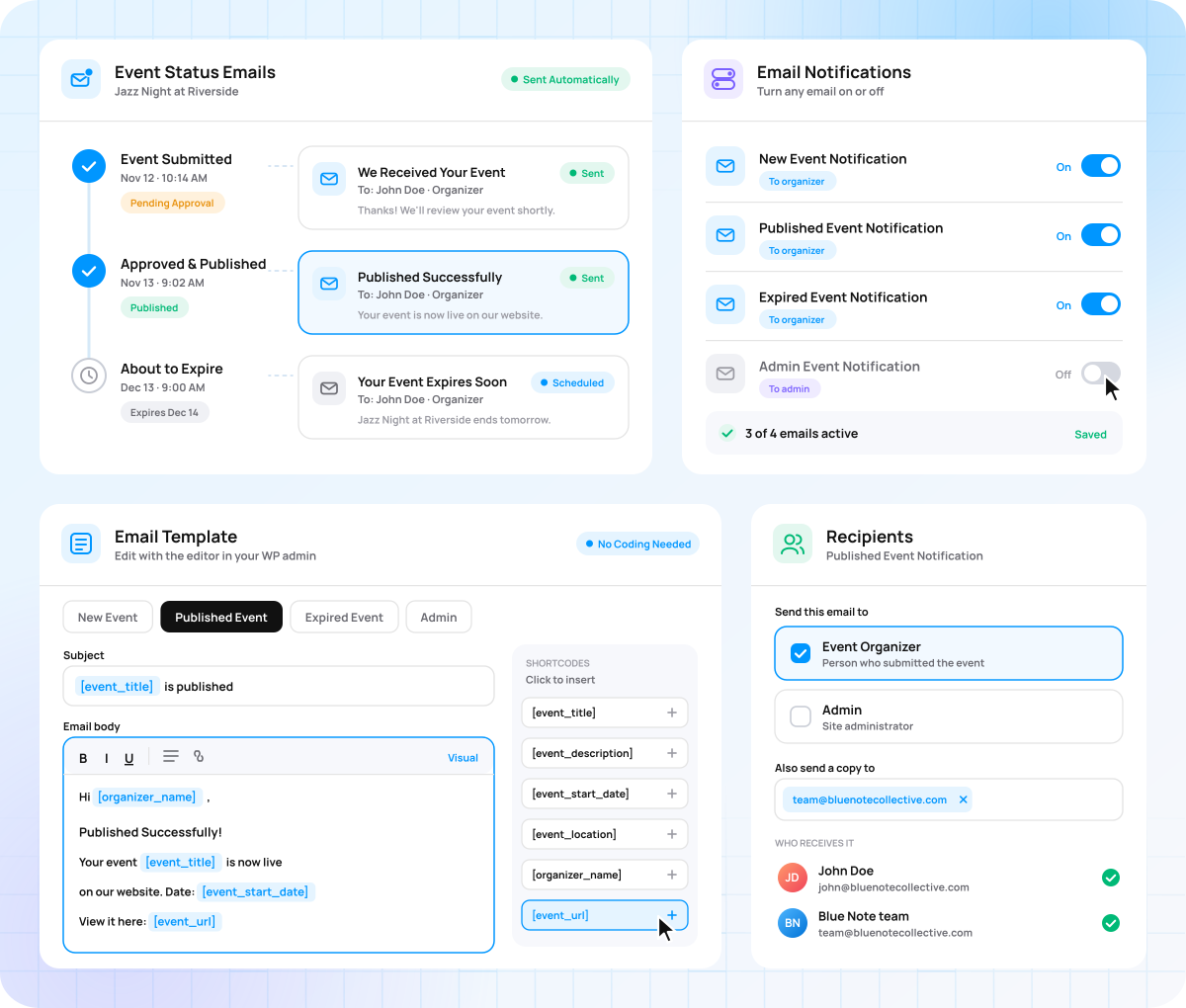
Keep Every Organizer Updated With Automatic Event Emails

Send a professional email at every stage of the event submission process and save the time spent writing the same update again and again.

  • Automated Event Status Emails
  • Customizable Email Templates
  • Flexible Recipient Settings
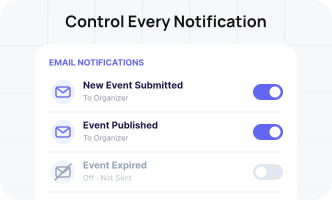
  • Enable or Disable Any Email
Sell event tickets from WordPress

Give Organizers Answers Before They Ask

When organizers submit events to your site, they want to know what happens next. Without updates, they write to you, wait, or submit the same event twice. The Emails add-on tells them where their event stands at every stage, so your inbox stays quiet and your listings stay accurate.

Automate Organizer Updates

Fewer Status Questions Organizers hear from you first, so they rarely need to ask.

Fewer Duplicate Event Listings A quick confirmation stops organizers from submitting the same event twice.

Fresher Event Listings Organizers know when to post their next date or event.

One Consistent Voice Every update carries your wording and your brand.

Automated Notifications For Every Event Stage

Each email is sent on its own when an event changes status.

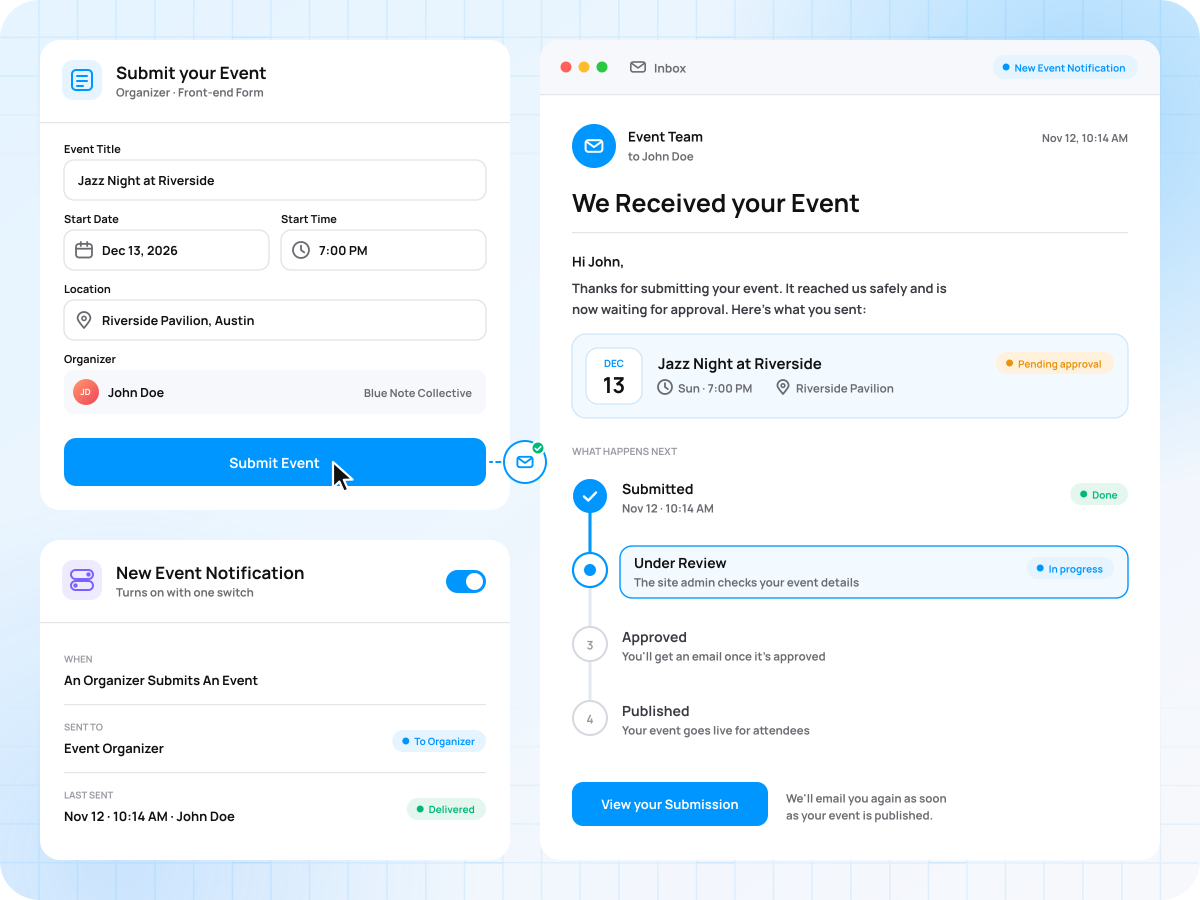
New Event Email

Confirm to organizers that their event submission has been received and is pending review.

  • Sent when an organizer submits an event
  • Confirms the submission was received
  • Outlines the next steps for approval
New Event Email

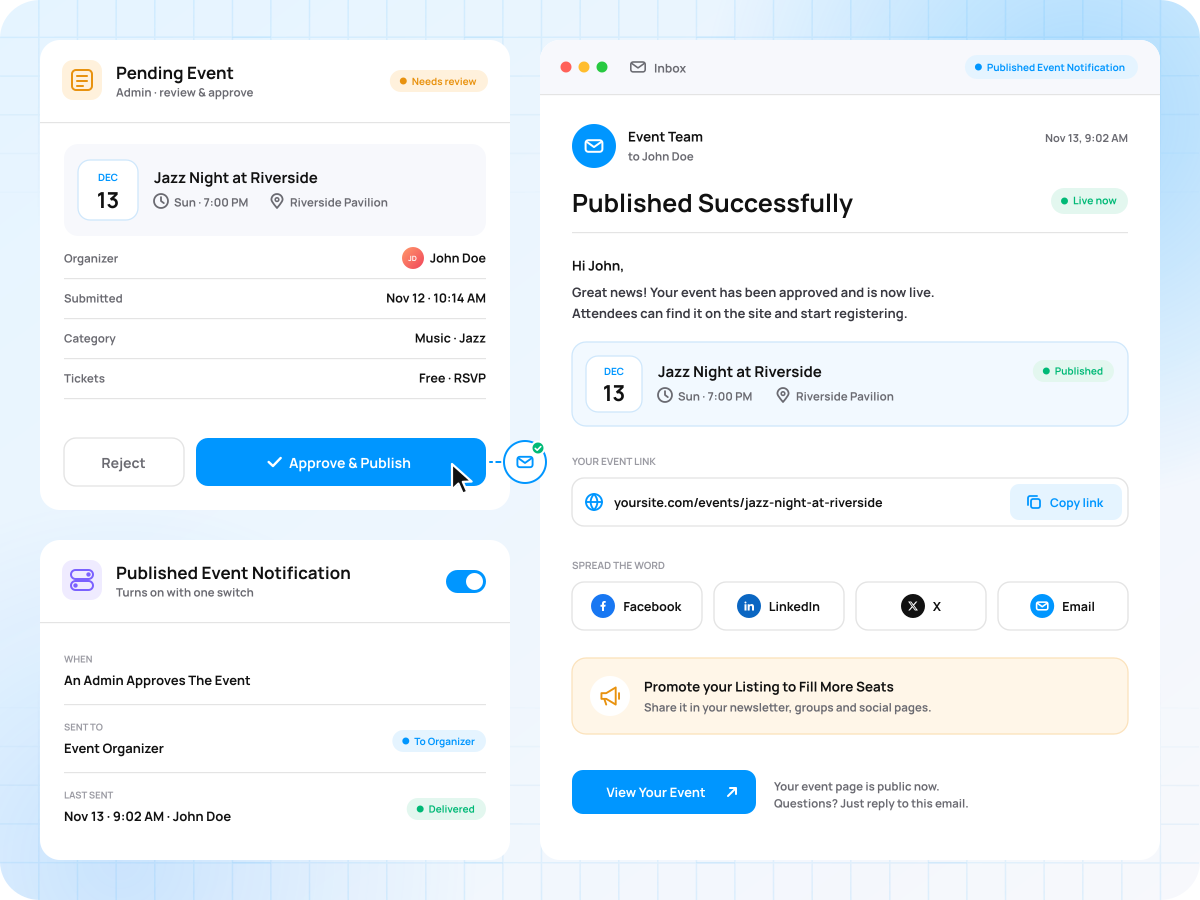
Published Event Email

Notify organizers as soon as their event is approved and published on your website.

  • Sent when you approve the event
  • Informs the organizer the event is live
  • Encourages promotion of the listing
Published Event Email

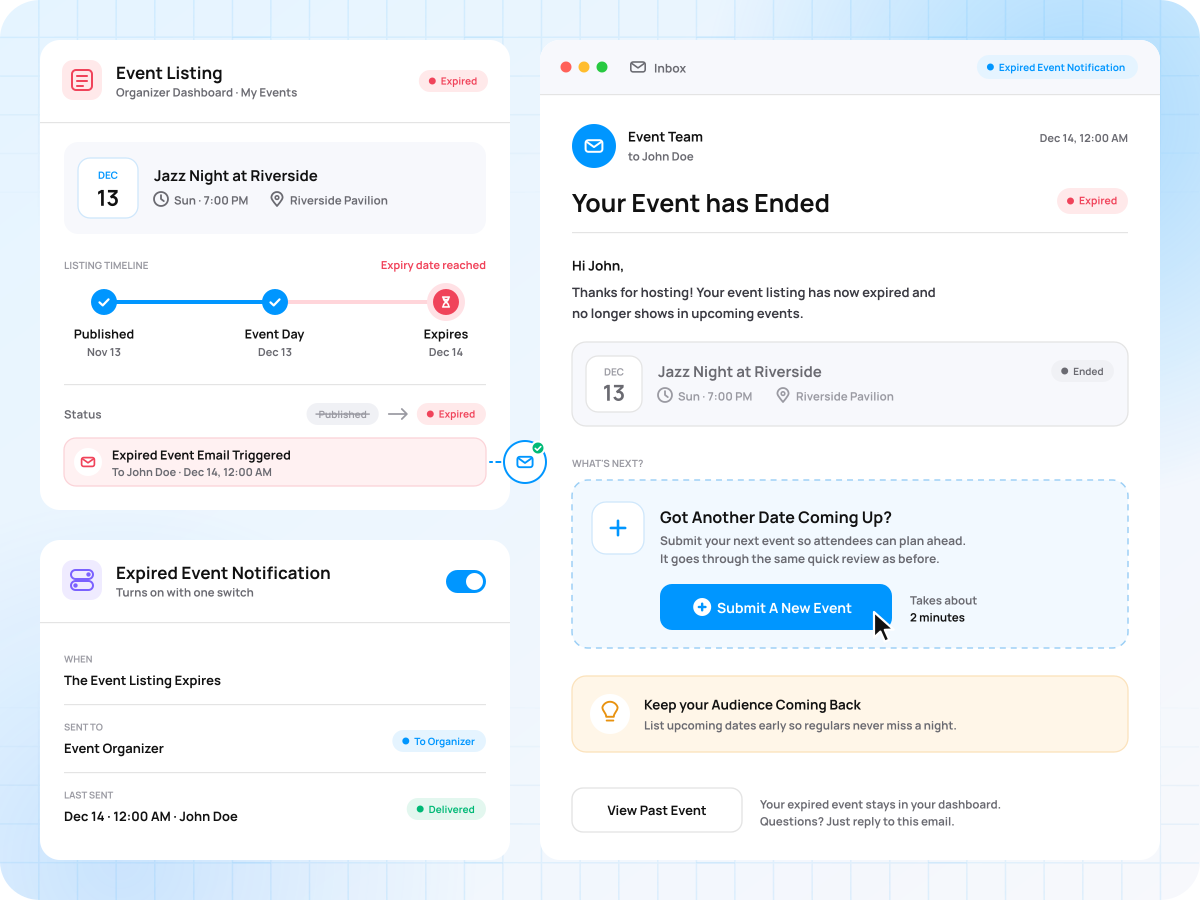
Expired Event Email

Close the loop when an event ends and invite organizers to plan their next one.

  • Sent when the event listing expires
  • Notifies the organizer the event has ended
  • Prompts organizer to submit upcoming events
Expired Event Email

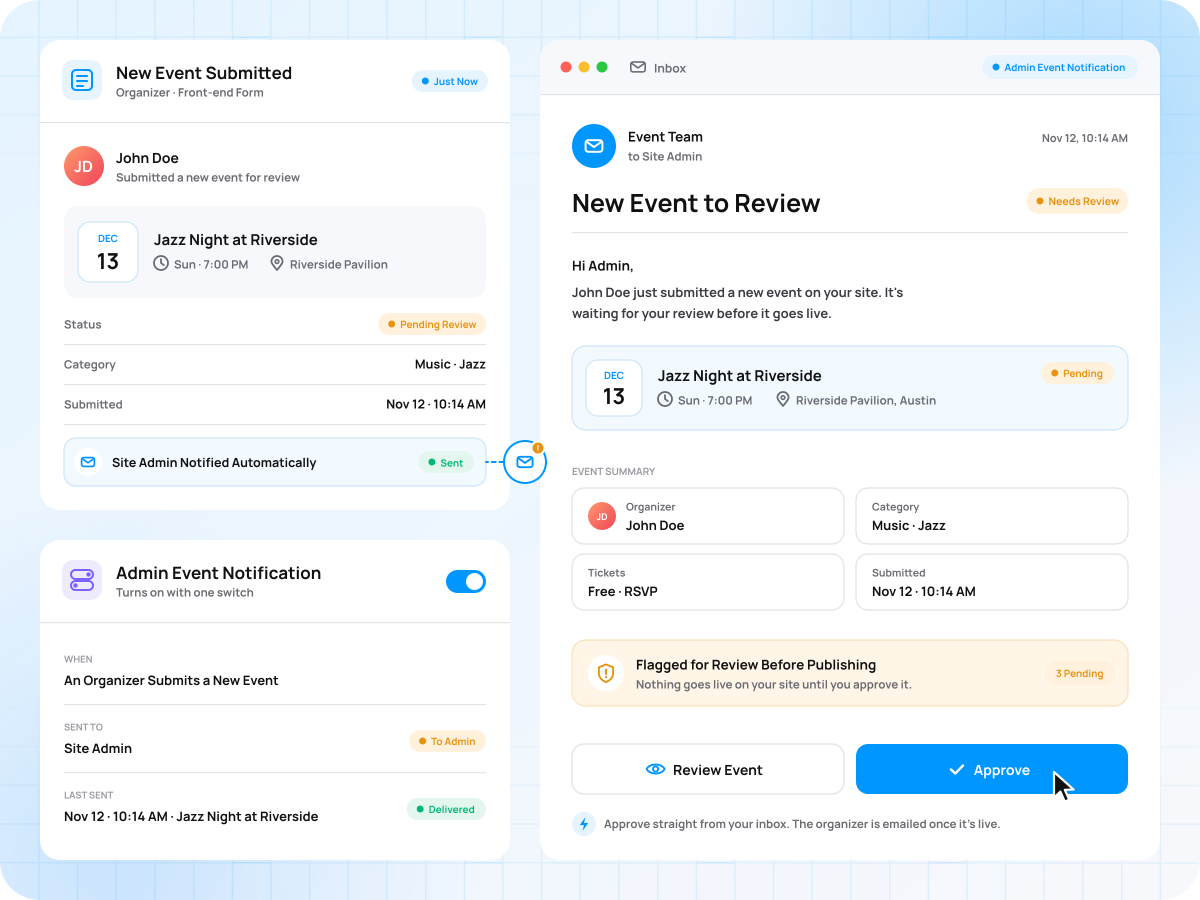
Admin Event Email

Keep your team informed about every new submission that needs attention.

  • Sent to the admin for each new event
  • Flags listings that need your review
  • Supports faster event approvals
Admin Event Email

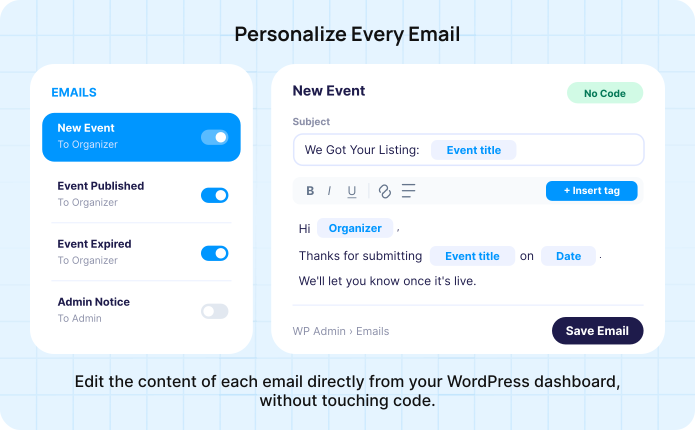
Your Words, Your Rules, Your Brand

Shape the content, details, and delivery of every email without writing a single line of code.

Set Up Your Event Emails In Four Steps

Install the add-on, choose your emails, and let every status update send itself.

01

Install Emails

Upload the add-on and activate it from your WordPress dashboard.

02

Choose Your Notifications

Go to Events Manager, open Email Notification, and switch on the emails you need.

03

Write Your Messages

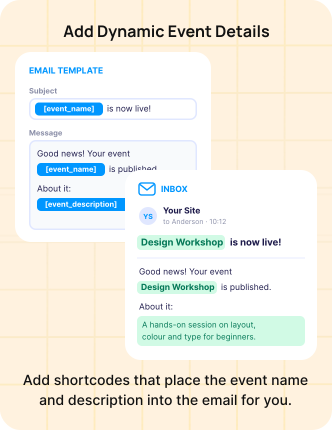
Add the text for each email and place event details where you want them.

04

Save And Relax

Save your settings, and each email goes out on its own as events move through review.

Who Can Benefit From Automated Event Emails

From course directories to community calendars, every site that accepts events from organizers can keep them informed automatically.

Event Directories

Event Directories

Keep every listing owner informed from the day they post.

Schools And Course Providers

Schools And Course Providers

Let teachers know when their classes go live.

Nonprofits And Charities

Nonprofits And Charities

Keep volunteers who list events in the loop.

Community Groups

Community Groups

Give local hosts a quick update on every event.

Virtual And Live Event Hosts

Virtual And Live Event Hosts

Confirm each listing, whether it runs online or in person.

See What Changes With The Emails Add-on

Without the add-on, every status update depends on someone writing and sending it manually. The Emails add-on sends each one automatically.

Task Without the add-on With the Emails add-on
Confirming a new submission
Announcing an approval
Reporting an expired event
Spotting new listings
Writing the message
Choosing the recipient
Matching your brand

One Yearly Price For Every Event Email

Pick the number of sites you need. Every plan includes 1 year of support and updates.

1 Site

$4 /mo

Billed yearly at $49

Buy Now

3 Sites

$8 /mo

Billed yearly at $99

Buy Now

5 Sites

$17 /mo

Billed yearly at $199

Buy Now

10 Sites

$25 /mo

Billed yearly at $299

Buy Now

Unlimited

$33 /mo

Billed yearly at $399

Buy Now

Save more with a bundle.

Event Manager Pro bundle

Need More Than Emails?

Get Emails with every other WP Event Manager add-on, including ticketing, CRM, and marketing integrations, in the All Events Manager Pro bundle.

$17/mo

Billed annually at $199

Explore All Events Manager Pro 32+ add-ons
Add-on Requirements Requires the free WP Event Manager plugin.
WP Event Manager plugin WP Event Manager plugin
What's Included
1 year of add-on updates 1 year of support

Everything You Need to Manage Event Email Notifications

Additional tools that give you full control over how your event emails are set up and sent.

Email Notification Control

  • Enable or disable each notification individually
  • Manage all emails from one settings page
  • Edit each email in its own tab

Automatic Email Delivery

  • Delivery without any manual sending
  • Triggered by frontend event submissions
  • Delivered from your own WordPress site

Easy Setup And Documentation

  • Step-by-step guide for every setting
  • Manual installation via SFTP or FTP
  • Video tutorial in the documentation

Frequently Asked Questions

Have a question about the Emails add-on? Find the answers below or contact us.

Why should I use the WP Event Manager Emails add-on?

It removes the need to send status updates manually. Organizers stay informed at each stage, and your team spends less time answering questions about pending events.

Which automatic email notifications does the add-on send?

There are four: the New Event, Published Event, and Expired Event emails for organizers, and the Admin Event email sent to the admin for each submission.

Can the content of each event email be customized?

Each email has its own tab under Events Manager, then Email Notification, where you can edit its content at any time.

Can event details be added to the emails automatically?

Shortcodes insert details such as the event name, title and description, so each email refers to the exact event.

Who receives the event notification emails?

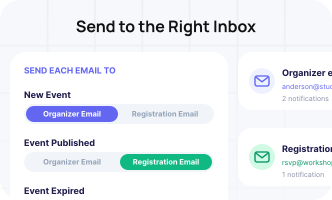
A dropdown beside each notification sends it to either the organizer email or the registration email added to the event.

Can individual email notifications be turned off?

Each of the four notifications has its own on or off option in the Notification Settings tab.

Do the emails work with events submitted from the frontend?

Every event submitted through the frontend form triggers the matching email automatically, so no submission goes unanswered.

Is coding required to set up event email notifications?

Coding is not needed. Every notification and email is set up from the Email Notification page in your WordPress admin.

Can I buy the Emails add-on on its own or as part of a bundle?

Emails can be bought on its own, starting at $49 a year for one site, just like every other WP Event Manager add-on. It is also included in the All Events Manager Pro bundle, along with all the other add-ons, if you need more features.

What happens to the Emails add-on when the license expires?

Your emails keep sending after the license year ends. Only plugin updates and support stop until you renew.

Let Your Event Updates Send Themselves

Set up your emails once and keep every organizer informed from the first submission to the final day.

  • No Coding required
  • 1 year of update and support
  • Keeps working after the license year
Close
Close