Use coupon code:
  Something exciting is coming soon – stay tuned to find out! 🚀✨
-
Case Studies
-
Oct 23, 2026
-
Oct 23, 2026
-
13
-
0
- Next blog »
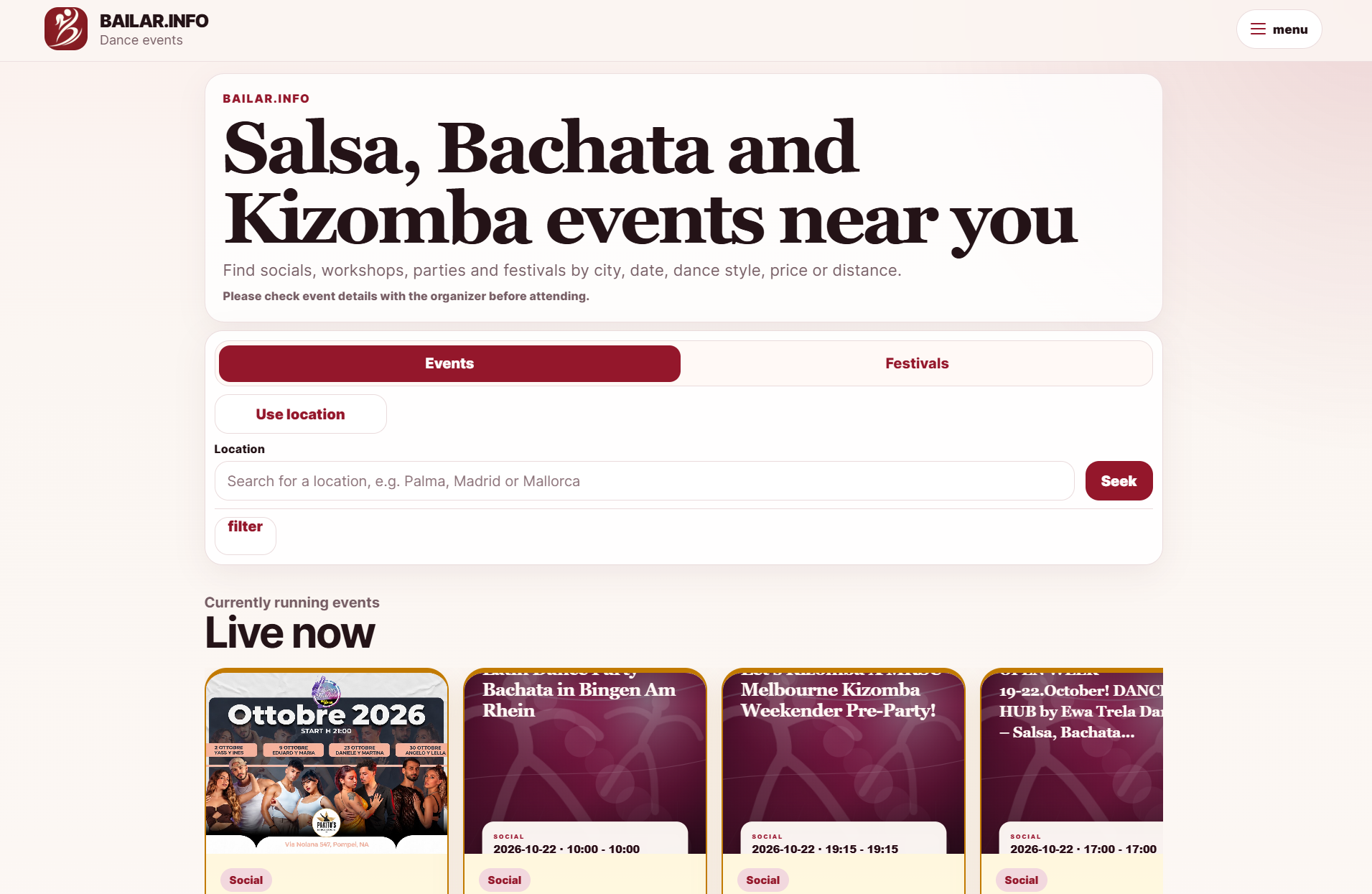

Mr Jona Ohlig decided to create Bailar.info, a website where all dance events would be listed on one page instead of checking the date for Bachata, Salsa, and Kizomba classes on Instagram and WhatsApp groups and printing flyers.
Industry:
Events and Event TicketingWebsite:
https://bailar.info/deWP Event Manager was chosen as the main platform due to easy installation and existing basic event options. It also left him free to build his own code on top. We will look at why Mr Jona needed a proper event plugin, how add-ons like Recurring Events, Event Tags, Google Maps, OpenStreetMap and Calendar shape the site, and what changed for Bailar.info after the switch.
About Bailar.info
Company: Bailar.info, Germany
Industry: Latin dance events and event discovery
Contact: Mr Jona Ohlig, Developer and Entrepreneur
Website: bailar.info
Mr Jona dances Bachata himself, and the idea for Bailar.info came from the dance floor. Good events in the Latin dance scene kept slipping past him. One night would be announced only on Instagram, another in a WhatsApp group, a third on a small venue website, and some had nothing more than a flyer with a date and an address. People already deep in the scene could keep up. Someone new to a city usually couldn't.
Bailar.info puts those events on one site. For now, the site is mostly focused on events in German cities like Cologne, Hamburg, Berlin and Düsseldorf. Mr Jona hopes to add more countries in Europe over time. Each listing includes the data dancers want first: city, date, dance style, venue, and organizer. It also says what kind of event it is and if it repeats.
Why Bailar.info Went Looking for an Event Plugin
As a developer, Mr Jona could have written every event feature from scratch. But that would have slowed him down a lot. Setting up the basic structure alone could take months, and Jona wanted Bailar.info online much earlier.
His idea of what mattered also shifted once real events started coming in. When he started, Mr Jona mostly cared about how the event pages looked. Adding real events changed that. Getting the event details right was trickier, from dates, times, locations, to organizers, categories, tags, and repeat rules. These info bits have no real place in WordPress posts, which are for articles. He needed a system that already treated an event as an event.
A few other things were on his list:
- Easy Setup to Start Fast.
- Opportunity for growth as the site would later tie into custom code, APIs, automation, and an app.
- Small problems show up fast with live event data, so when fields, maps, or repeat rules didn't behave as expected, help is on hand.
Why Mr Jona Choose WP Event Manager
Mr Jona found WP Event Manager during his search for a WordPress event plugin that would be easy to start with. He also looked at a few other plugins, and again thought about writing his own.
The decision came gradually. After installing the plugin, he tried it out with real events and adjusted a few plans along the way, once it was clearer what Bailar.info really needed. Some of the features he had been counting on were not as useful as he had thought. Others, like proper event fields, maps, recurring events and organiser and venue handling, became clearly important, and WP Event Manager already had them.
Mr Jona gives three reasons for his choice. The plugin was easy for him to follow, it already had the event features he needed and he could add his own code on top. That’s the WordPress event listing plugin he selected. He was also happy with our support team that helped him resolve the issues that came up while he was setting things up.
The free core plugin features event listings, organizers, venues, categories and event types. Visitors can search by keyword and location without requiring any additional add-on. That fits how dancers look for events. Most of them type a city, a date, a dance style, or the name of a party, and not much else.
How WP Event Manager Powers Bailar.info
WP Event Manager holds the event structure, and Mr Jona's own Bailar.info plugins handle the public API, mobile apps, search, discovery, event review and automation on top of it. These are the add-ons that do the bulk of the work.
1. Recurring Events Keeps Weekly Dance Nights Up to Date
Much of the Latin dance calendar repeats. Bachata socials often happen on the same weekday every week, and plenty of Salsa parties come back to the same club once a month. With Recurring Events, such an event is added a single time and the plugin takes care of the dates after it.
- The repeat can be set to daily, weekly, monthly, or yearly, and specific dates can be picked as well
- The later dates in a series are generated from the first listing
- One date can be moved without changing the rest
- Organisers add the repeat when they submit an event on the site, and admins can look after it from the WordPress dashboard
Bailar.info has a lot of regular nights in its listings, so a recurring events plugin for WordPress saves the team from typing the same event in again and again and keeps future dates showing up.
2. Event Tags Separate Bachata From Salsa and Kizomba
Most dancers only look for events in the style they dance. Event Tags puts a tag field in the event form. Organisers can use it to mark the dance style, the format, or the level of an event.
- Visitors filter the listings by tag or click through a tag cloud
- Tag archive pages can be turned on in the settings
- Admins control how many tags an event can have and how they're separated on the form
Bailar.info uses tags along with categories, so a festival, a social, a workshop and a weekly class each show up in the right place. Good WordPress event tags can also help event pages get found on Google.
3. Google Maps and OpenStreetMap Help Dancers Find the Venue
Location drives a lot of decisions. Someone looking for a party tonight wants to see right away where it is and whether the trip is worth it, so Bailar.info's setup includes both map add-ons.
- Google Maps places event markers on a map, suggests addresses as visitors type, and supports radius search
- OpenStreetMap shows every event on a single map, adds a small map on each event page and works without an API key
- Visitors can search for events near them and set how far they want to travel
That matches how people use Bailar.info. On the site, a visitor can use their current location and choose a distance between 10 and 100 km. With two add-ons doing the job of an event map plugin for WordPress, Mr Jona can decide which map works best on each part of the site.
4. Calendar Gives Dancers a Date-First View
Calendar displays events in a monthly view. It’s good for dancers on a weekend out or heading to another city. When a visitor moves the mouse over an event, a small box opens with the name of the event, date, time, and picture.
Mr Jona can place the calendar on a separate page with a shortcode or add it to a widget area. Visitors then have another way to browse the dance event listings, besides the normal list view.
5. Other WP Event Manager Add-ons in the Setup
Mr Jona's team has also used or adapted several smaller add-ons.
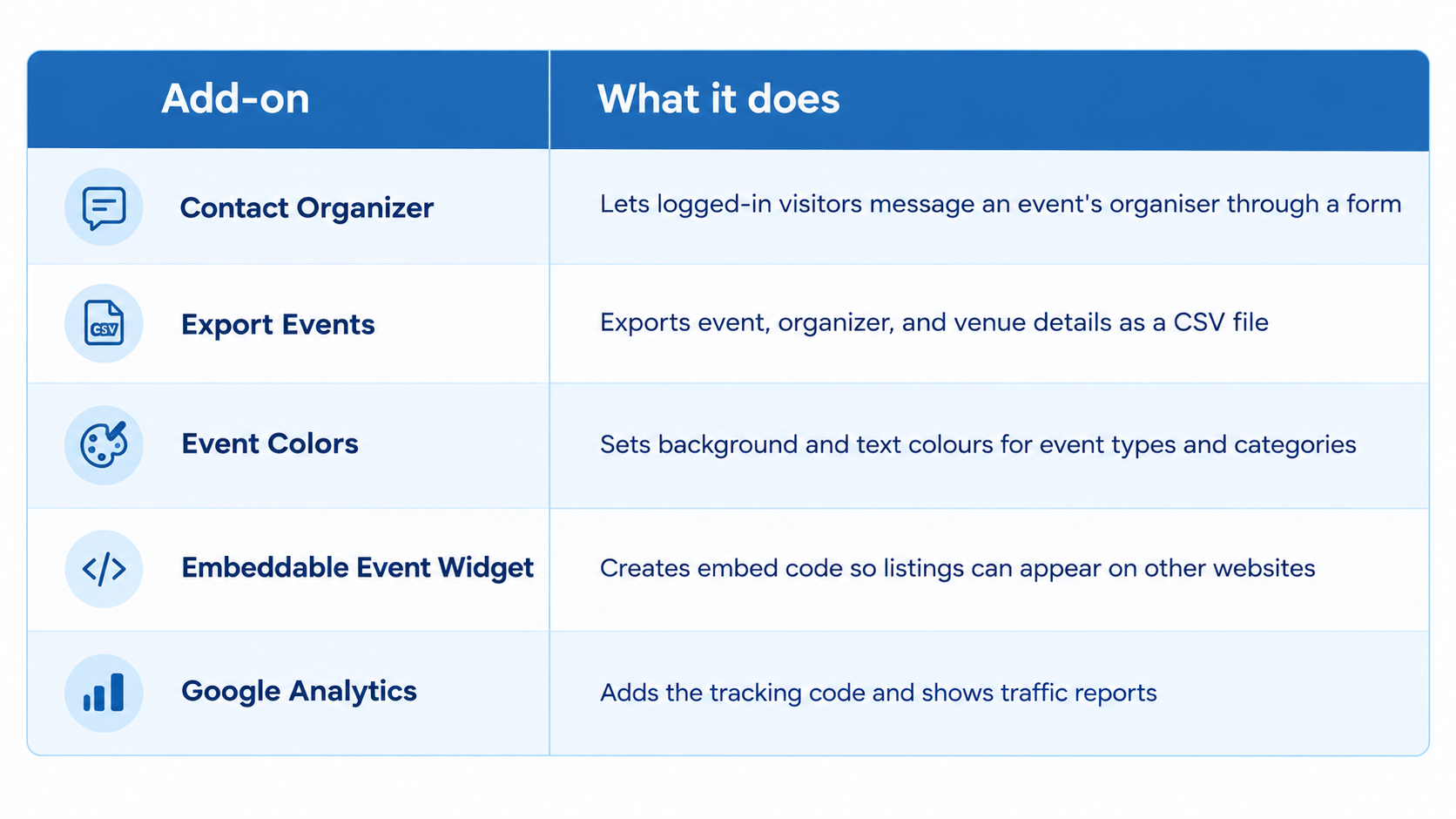
Export is useful if you want to take clean event data elsewhere as a spreadsheet. The widget lets a filtered set of listings show up on another site, such as an organiser's own page.
WP Event Manager Gives Bailar.info a Base for Custom Code
Bailar.info is more than a local listings page, and Mr Jona built much of it himself. His own plugins add the public API, app features, search and discovery, event review and automation. WP Event Manager stays underneath as the base all of that reads from.
Events in WP Event Manager are stored as their own content type, with fields for dates, venues, organisers, categories and tags. That gives Mr Jona's code consistent data to work with. Developers who want to extend the plugin the same way can start with our developer resources.
What Changed for Bailar.info With WP Event Manager
Mr Jona describes the change in practical terms. Since moving onto WP Event Manager, Bailar.info has:
- A clearer structure for its event data, from dates and venues to organisers and tags
- A much quicker setup than building those features from zero would have allowed
- Better handling of locations and categories, the two things dancers filter by most
- A solid basis for the API, automation, and mobile app to work within the site
For dancers this means a Bachata social in their city or a festival a few hours away can be found on one site, sorted by style, place and type of event, rather than pieced together from Instagram posts and group chats.
What Other Event Platforms Can Learn From Bailar.info
- Get the event data right before spending time on design because clean fields are what make filters and maps work
- Test a plugin with real events, the way Mr Jona did, since some features look important on paper and turn out not to be
- If your scene runs on weekly nights, plan for repeating events from the start
- Pick a base you can build on when an app or an API is part of the plan
Build Your Event Listing Site on WP Event Manager
WP Event Manager is suitable for dance schools, community calendars, and websites like Bailar.info, where events are gathered from multiple sources. It’s an event listing plugin for WordPress. The basic package already covers the basic things such as event listings, organizers, locations, and searching. Other features, such as maps, tagging, calendars, and recurrent dates, are available as individual add-ons that can be purchased separately when needed or bundled together.
- Download the free core plugin.
- Try the live demo
- Browse the live developer resources
- See premium addonsadd-ons and bundle pricing
About the Author