Use coupon code:
  Something exciting is coming soon – stay tuned to find out! 🚀✨
- « Previous blog
-
Events
-
May 12, 2026
-
May 25, 2026
-
1018
-
0
- Next blog »
Do you want to build an Eventbrite-like event marketplace?
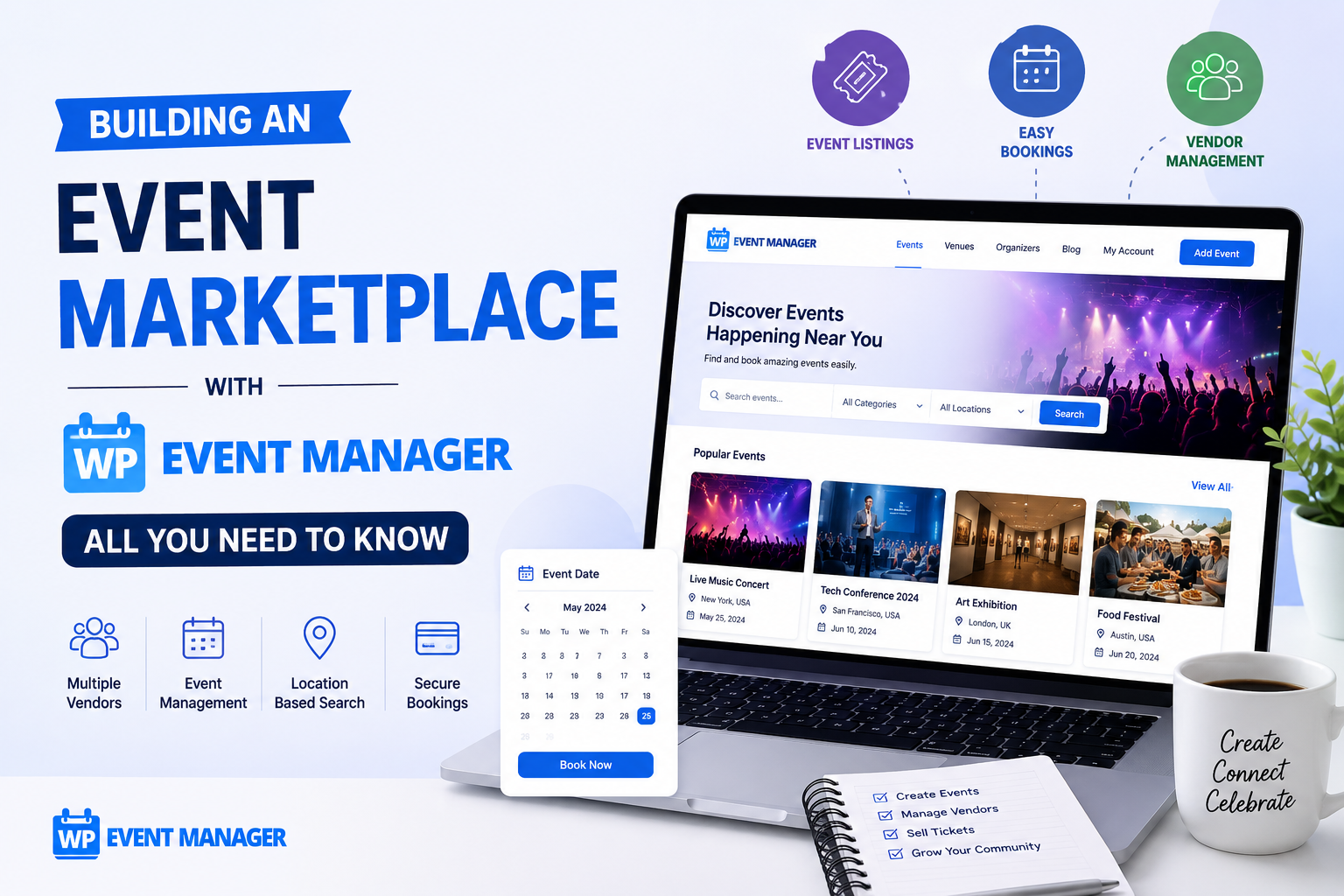
Building an event marketplace on your website where multiple organizers can add events, sell tickets, and expand their audience reach is an excellent way to create an additional source of income from your events website. Besides this, it also helps remove your reliance on third-party platforms that ultimately drain your profits. In this system, you become the owner of the infrastructure.
Now the first question that comes to mind is how to create an event marketplace? In this article, we will guide you in the process of building an event marketplace with a tool like WP Event Manager. You will not only learn about the process but also discover the add-ons you should invest in and how to get your platform off the ground.
What Is an event Marketplace?
An event marketplace is a centralized platform where multiple organizers can list events, manage registrations, sell tickets, and handle payments while attendees browse a diverse range of offerings in one place. Mainly three parties are involved in this to keep it running:
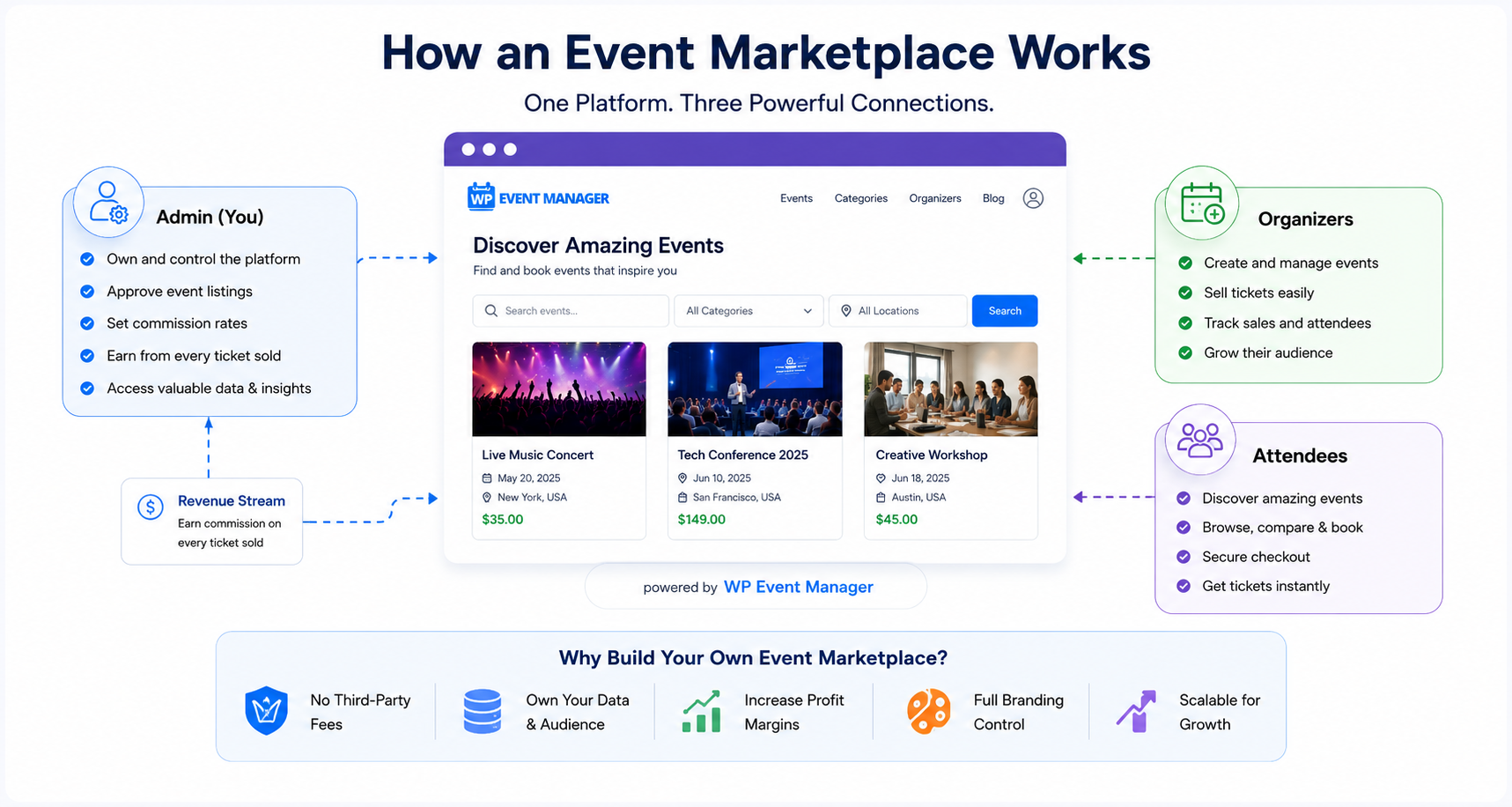
The Admin (You): Admin is the person who owns the platform. In this case, it's you. You not only own the platform but also approve listings, set commission rates, and earn revenue from every ticket sold.
Organizers: Independent event organizers who use your platform to list, manage, and sell tickets for their events.
Attendees: People who discover and book events, all without leaving your website.
This three-way relationship is the core of every successful event marketplace.
Now that you know about the concept of an event marketplace and how it works, let us introduce you to the software that you will need to create it.
Introduction to WP Event Manager
WP Event Manager is a WordPress event management plugin that allows you to manage all your events through your WordPress site. Starting from adding events to managing registration, selling tickets, and promotion, it covers every feature that you need to run your events successfully through your website.
It offers more than 37 premium addons to add additional event management features to your website. The Sell tickets add-on is the main add-on that you need to create an event marketplace. We have shared all the details of the addons you need in the upcoming segments.
Why choose WP Event Manager over eventbrite?
Eventbrite is undoubtedly popular, but for anyone building a standalone event business, it has some drawbacks that can not be ignored. The commission fee charged on a per-ticket basis reduces your margins with every transaction. Moreover, you get limited control over branding, customer data, and the overall user experience. In simple words, you're building an audience on someone else's platform.
WP Event Manager is a powerful Eventbrite alternative that flips this dynamic entirely. When you build a marketplace on WordPress with WP Event Manager, you own the platform along with your attendee data. You do not have to pay commission and keep the entire profit amount in your pocket. You define the commission structure, choose which events get featured, and design the experience from top to bottom.
Recognized as the Best Event Management Plugin for WordPress at the International Business Conclave 2024 and trusted by over 100,000 users, WP Event Manager has the credibility and features set to support this claim. For entrepreneurs, event organizers, and growing event businesses, this self-hosted approach is simply the smarter long-term investment.
Starting with the core plugin
The brand is named after the core plugin WP Event Manager, which is available for free on the WordPress plugin repository. It lays the foundation for your event website and marketplace with everything you need to get started:
- A front-end event submission form to help event organizers submit their events without being dependent on you(admin).
- Event listing pages with built-in search and filtering by date, location, and category.
- A dedicated organizer dashboard for managing listings and tracking performance.
- 40 built-in language translations with RTL language support for international reach.
- Full mobile responsiveness across all screen sizes.
All the WP Event Manager plugins are built with a simple coding structure, making them easily customizable. They are light weight and SEO friendly at the same time which increases your event visibility..
The addons you need to create an event marketplace
WP Event Manager offers a wide range of premium add-ons that covers ticketing, marketing, virtual events, and platform management. Here are the ones that matter most for building an event marketplace.
1. Ticketing and Revenue Addons
Sell Tickets is the cornerstone of a revenue-generating marketplace. It allows organizers to sell paid tickets, free tickets, and donation-based tickets. Payments are backed securely by WooCommerce. Tickets are delivered to attendees automatically via email, which they can download anytime they want, and the entire workflow is managed from the organizer's dashboard.
The Registrations and Sell tickets add-ons work together allowing you to create a customizable registration form. You control which fields appear, and organizers get clean, organized attendee data well before the event.
WooCommerce Paid Listings lets you monetize the platform itself, not just the tickets. This add-on allows you to create subscription packages that organizers purchase to list their events and sell tickets on your platforms.
Stripe Split Payment enables you to manage the ticket revenue you earn from your marketplace. When an organizer sells a ticket, this add-on automatically divides the revenue between the organizer and you based on the pre-set commission rate.
Attendee Information lets you collect and manage detailed registrant data across all events on your platform. Over time, this data becomes one of your most valuable assets helping you know your audience, refine event recommendations, and inform your marketing strategy.
2. Discovery and experience addons
Event Calendar transforms passive browsing into active discovery. Attendees can easily access an interactive calendar on your website to see what's upcoming by day, week, or month which is a far more engaging experience than scrolling through a flat list of events.
Recurring Events saves organizers significant administrative effort by automatically updating event dates for regular recurring occurrences. Weekly classes, monthly meetups, and quarterly or yearly summits can be set up once and managed automatically from that point forward.
Google Maps allows you to showcase an interactive map directly on event detail pages, helping in-person attendees visualize the venue and get directions without leaving your platform. For a marketplace featuring events across multiple cities, this is an important trust signal.
WP Seats is a feature packed seating software for events that helps you sell seats for your concerts, theater performances, awards ceremonies etc efficiently. Organizers design their venue layout, and attendees choose their preferred seats at the time of booking.
Name Badges automates badge generation at the point of registration, giving attendees a printable badge and simplifying check-in logistics at the venue.
3. Marketing Addons
Emails automates all operational communications, such as event submission confirmations, approval notifications, and event updates for attendees. Reliable and timely email communication is the baseline of a professional marketplace.
Mailchimp connects your platform to your Mailchimp account, syncing attendee and registrant data automatically. This makes it easy to run targeted campaigns, promote upcoming events, and keep your community engaged.
SMS notification delivers real-time text alerts to organizers and attendees. For time-sensitive updates — venue changes, last-minute announcements — SMS ensures the message is seen immediately.
Zapier connects WP Event Manager to thousands of third-party tools, enabling workflow automation without code. From syncing new registrants to a Google Sheet to triggering Slack alerts on new event submissions, the integration possibilities are extensive.
Hubspot CRM and Salesforce CRM addons are built for marketplaces that need robust contact management and syncing customer data from your platform into your CRM to enable sophisticated nurturing sequences and a unified view of your audience.
4. Virtual Event Addons
Zoom integrates your marketplace directly with Zoom, letting organizers create and manage virtual events from within their dashboard. Attendees receive join links automatically upon registration.
Speaker and Schedule lets organizers publish full session agendas and speaker profiles on their event pages — essential for conferences and multi-session events where program transparency drives registrations.
Expo Networking creates an interactive networking environment within your platform, helping attendees connect with each other before, during, and after events. Since networking is consistently one of the top reasons people attend events, this addon adds genuine value to every listing on your marketplace.
Create your event marketplace with WP Event Manager now
Here are the steps to get started with WP Event Manager:
- No matter which premium add-on you pick from WP Event Manager, you need to install the core plugin at first. The installation is easy and quick. You will find a detailed guide in our knowledgebase section.
- Once you are done with that, choose the addons that you need to build a WooCommerce based event marketplace from the Features page.
- You can check the demo of your preferred add-ons for free to be 100% sure about them before purchasing.
- You can purchase your preferred addons from the sales pages.
Note: WP Event Manager add-ons are available both in bundles and separately. Here it is to be mentioned that buying them in bundles is a more cost-effective option than buying them individually.
Wrapping up
WP Event Manager gives you a genuine, scalable alternative to platforms like Eventbrite where you own the platform, control the data, and keep a far greater share of the revenue. The core plugin is free, the add-on ecosystem covers every use case a growing marketplace needs, and the flexible monetization structure means the platform can support your business from day one through to thousands of events.
The right way to approach this is to start with a focused add-on stack, build operational confidence, and expand the platform's capabilities as your organizer base and attendee community grow. Everything you need to build a world-class event marketplace is already here.
About the Author