Recurring Events Recurring Events

Create An Event Once And Repeat It On Any Schedule

Save the time you spend copying events by hand and keep your whole schedule up to date with one simple setup.

  • Daily To Yearly Repeats
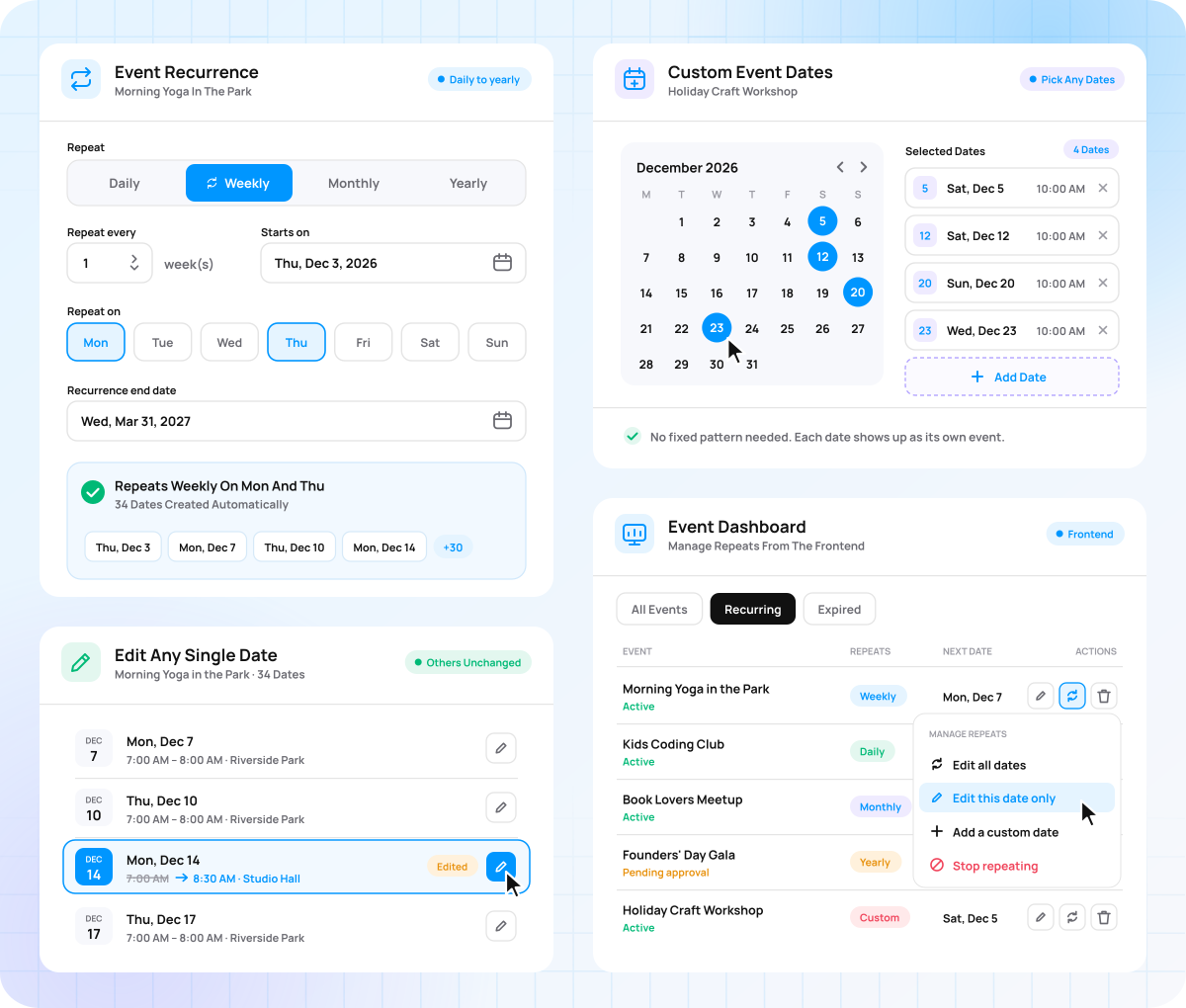
  • Custom Event Dates
  • Edit Any Single Date
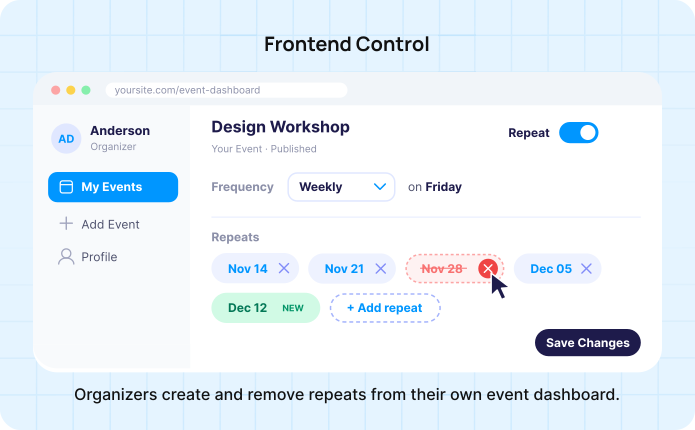
  • Manage Repeats From Frontend
Sell event tickets from WordPress

Spend Less Time Copying The Same Event

Copying a weekly class by hand means typing the same title, venue, and details for every date, and one missed copy leaves a gap in your schedule. Recurring Events builds every date for you from a single event, so your listings stay complete.

Set Up Recurring Events

Faster Setup Create one event and skip copying it for every new date.

Fewer Mistakes Each date carries the same details, so typos stay out of your listings.

A Full Schedule Visitors see your upcoming event dates weeks and months in advance.

Simple To Use Turn any event into a repeating series without writing code.

Repeat your Events On The Schedule You Need

Six repeat patterns cover everything from daily camps to yearly festivals.

Daily

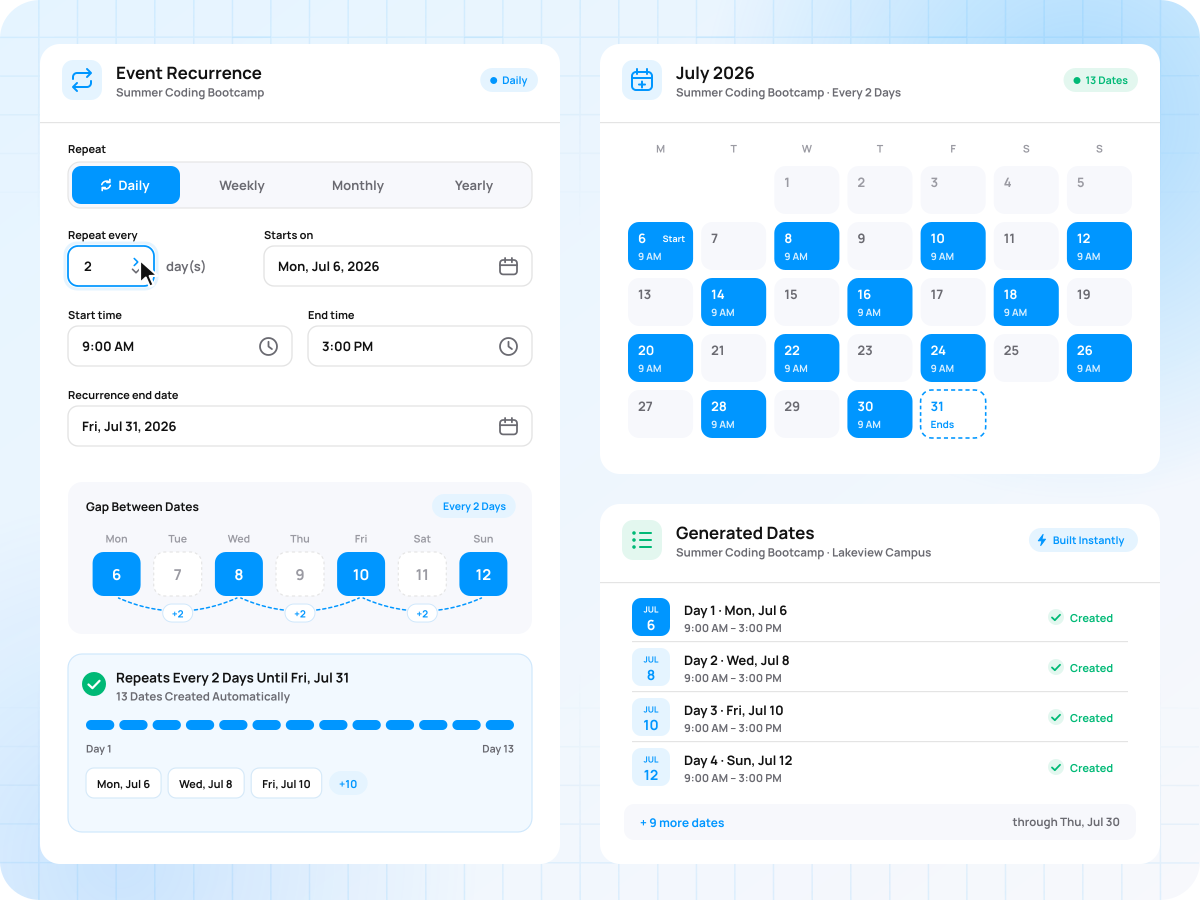
Run an event every day, or every few days, until the end date you set.

  • Set the gap in days
  • Builds the whole run instantly
  • Best for camps and bootcamps
Daily

Weekly

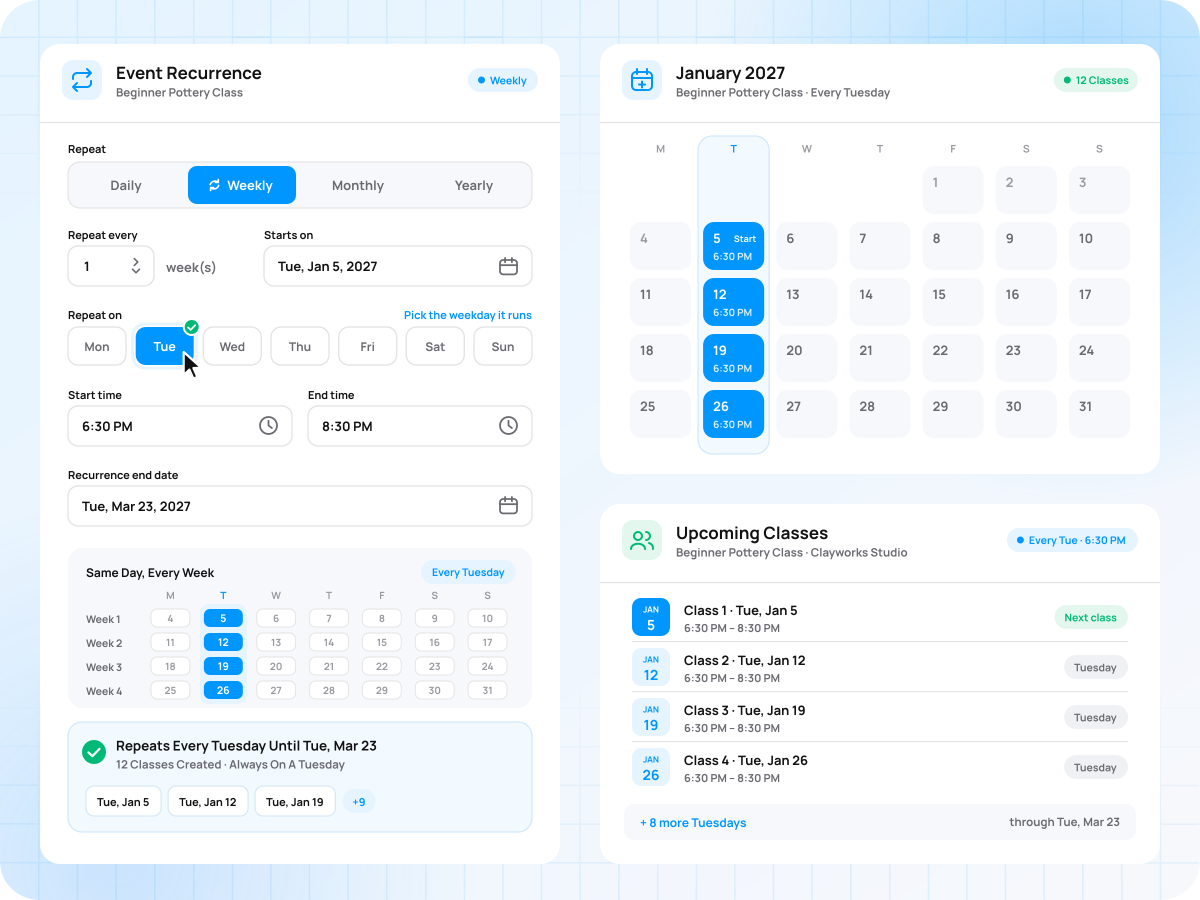
Repeat an event on the same weekday every week or every few weeks.

  • Pick the weekday it runs
  • Attendees know the fixed day
  • Best for classes and meetups
Weekly

Monthly

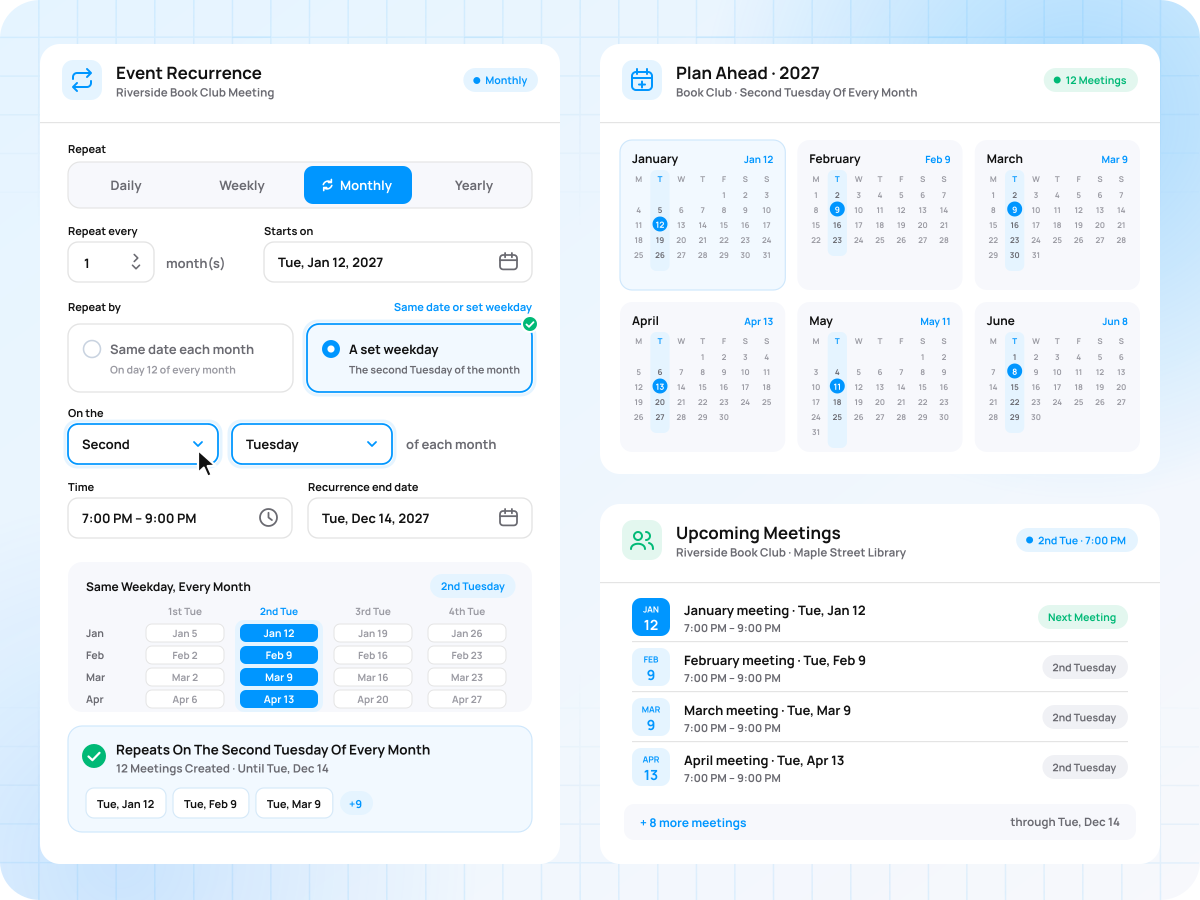
Repeat on the same date each month, or on a set day like the second Tuesday.

  • Same date or set weekday
  • Matches how members plan ahead
  • Best for monthly club meetings
Monthly

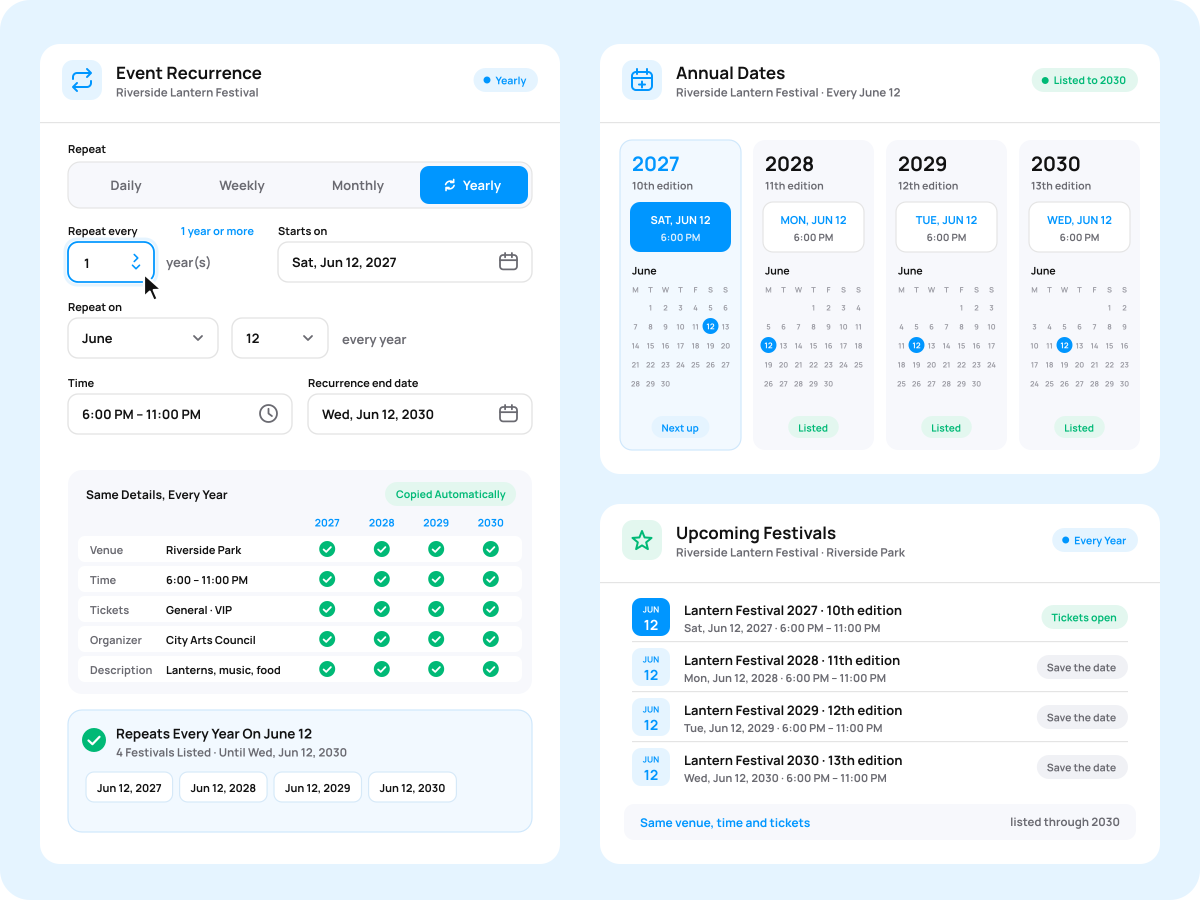
Yearly

Bring back annual events every year with the same details.

  • Repeat every year or more
  • Annual dates stay listed early
  • Best for festivals and anniversaries
Yearly

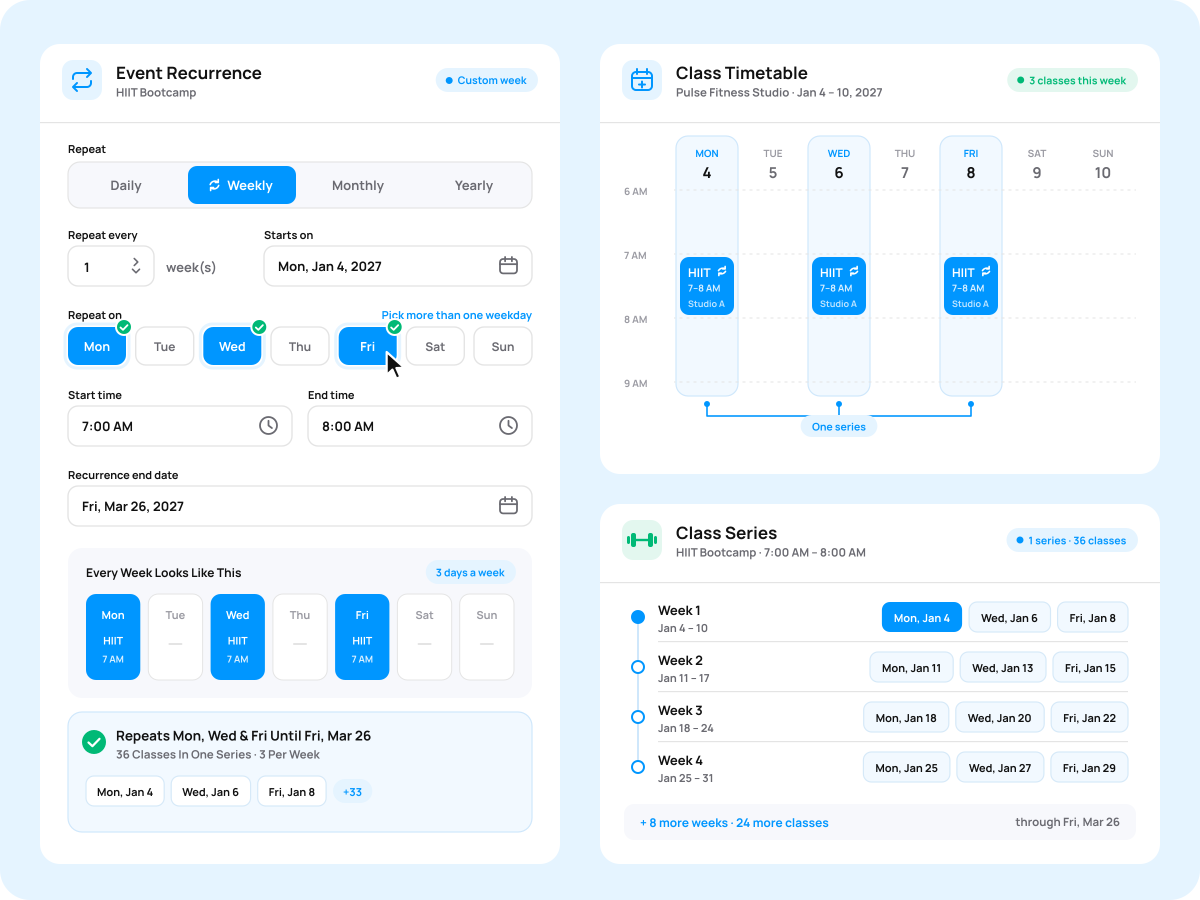
Custom Week

Run an event on several weekdays, such as Monday, Wednesday, and Friday.

  • Pick more than one weekday
  • One series covers the week
  • Best for fitness class timetables
Custom Week

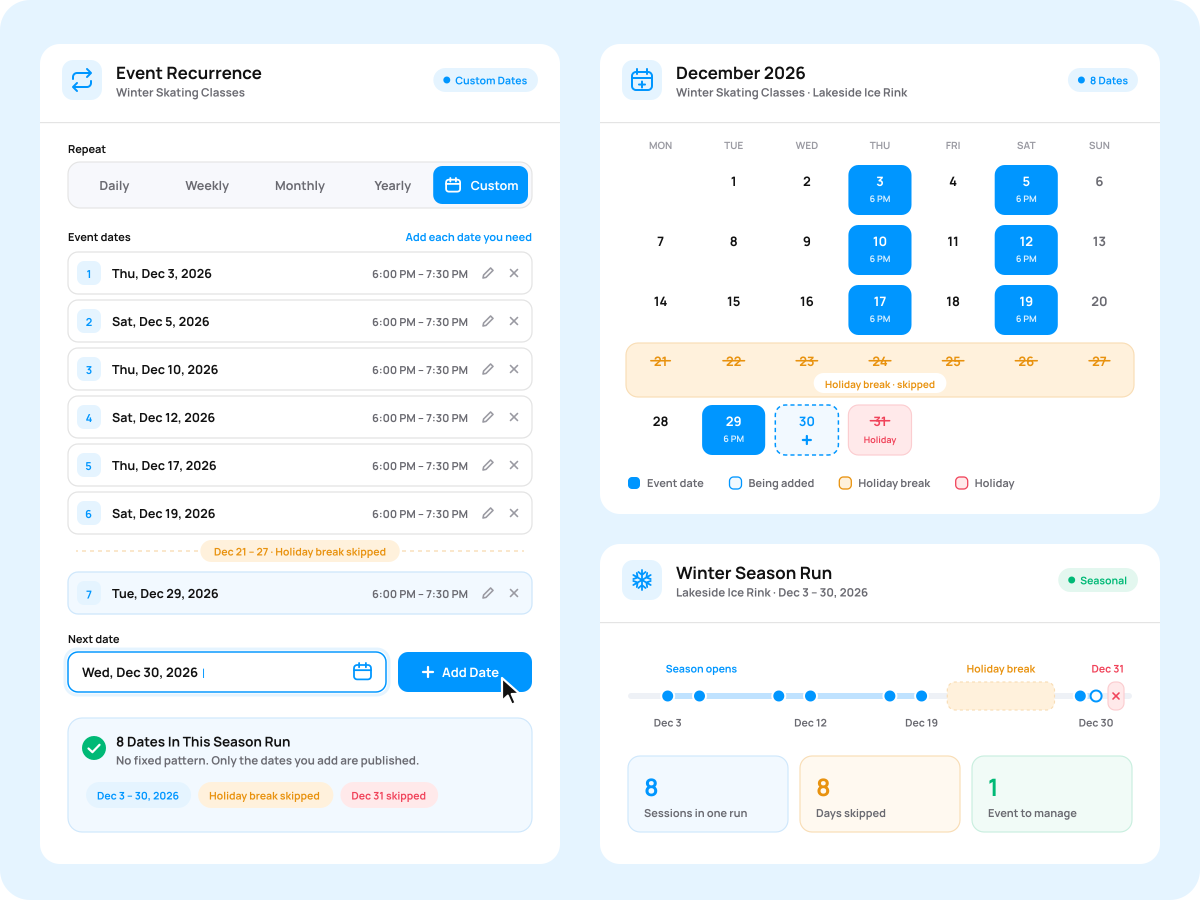
Custom Dates

Add your own list of dates when the event follows an irregular schedule.

  • Add each date you need
  • Works around holidays and breaks
  • Best for seasonal event runs
Custom Dates

Everything You Need To Run Repeating Events

Control every date in your series, from its page to its tickets.

Set Up A Repeating Event In 4 Steps

Add the add-on, create your event, and let every future date fill in.

01

Install Recurring Events

Add the add-on to your WordPress site.

02

Create Your Event

Add the first event date with all its details.

03

Set The Repeat

Choose an event recurrence pattern and set the end date for the series.

04

Publish The Series

Generate all the events with future dates at once and make them live on your website.

Recurring Events For Every Regular Event

From weekly yoga sessions to yearly festivals.

Classes And Courses

Classes And Courses

Keep weekly lessons and term timetables on your site all season.

Nonprofits And Charities

Nonprofits And Charities

List monthly meetings and regular volunteer days with less admin work.

Community Groups

Community Groups

Share repeat meetups, markets, and gatherings with your members.

Online Events

Online Events

Run webinars and live sessions on a steady, predictable schedule.

Concerts And Parties

Concerts And Parties

Promote weekly club nights and regular shows as one series.

Recurring Events Vs Copying Events Manually

The free plugin lists one-off events. Recurring Events turns one event into a full series.

Capability Copying Events Manually Recurring Events
All future events and their dates are automatically created from one event
Daily, weekly, monthly, and yearly patterns
Repeat on specific weekdays, such as every second Tuesday Limited (each date worked out manually)
Several weekdays in one series Limited (one copy per weekday)
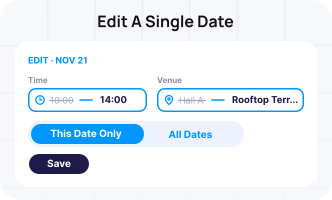
Edit one event date without changing the rest
All repeating events and their dates are shown on one admin screen
Delete all future dates in a series at once
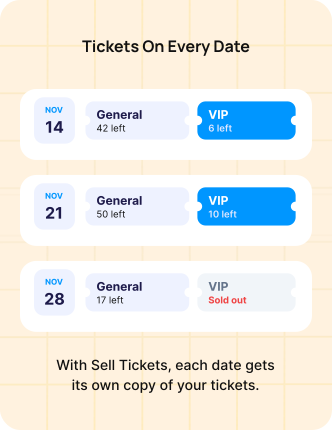
Tickets added automatically to every event in the series (with Sell Tickets) Limited (tickets must be created again for every copied event)

One Yearly Price For All Your Repeating Events

Pick the number of sites you need. Every plan includes 1 year of support and updates.

1 Site

$4 /mo

Billed yearly at $49

Buy Now

3 Sites

$8 /mo

Billed yearly at $99

Buy Now

5 Sites

$17 /mo

Billed yearly at $199

Buy Now

10 Sites

$25 /mo

Billed yearly at $299

Buy Now

Unlimited

$33 /mo

Billed yearly at $399

Buy Now

Save more with a bundle.

Event Manager Pro bundle

Save more with a bundle.

Get Recurring Events, Calendar, and 18 more add-ons in the Plus bundle.

$8/mo

Billed annually at $99

Explore Event Manager Plus 20+ add-ons
Add-on Requirements Requires the free WP Event Manager plugin.
WP Event Manager plugin WP Event Manager plugin
What's Included
1 year of add-on updates 1 year of support

Explore All Recurring Events Features

Extra tools that keep every repeating series organized in the admin.

Series Management

  • All recurring events in one admin list
  • View all dates of an event
  • Series events listed in your frontend dashboard

Event Cleanup Options

  • Remove a series' future events at once
  • Original event kept when dates are removed
  • Keep or erase data on uninstall

Setup And Settings

  • Dedicated recurring settings tab
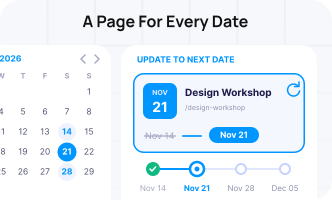
  • Move an event to its next date
  • Duplicate events in one click

Frequently Asked Questions

Have a question about Recurring Events? Find the answers below or contact us.

What is the difference between Recurring Events and the free plugin?

The free WP Event Manager plugin creates one-off events, so each repeat has to be added as a new event. Recurring Events adds repeat patterns and builds every future event with date from a single event.

Which repeat patterns are available?

Events can repeat daily, weekly, monthly or yearly, on several weekdays each week, or on a custom list of dates. Monthly events can follow the same date or a set day, such as the first Monday.

Can one event date be changed without affecting the others?

Yes. Each event date can be edited on its own, so a time or venue change for one session leaves the rest of the series unchanged.

How is a recurring event created?

Start by creating your event, then choose how often it should repeat and set the date the series should end. You can then generate all the dates from the Recurring Events section of the admin panel, or from the frontend event dashboard using the Duplicate All Occurrences option.

Does every date get its own event page?

Yes, when duplicate recurring events is turned on in the settings. Each date is then created as a separate event. With it off, the same event moves to its next date after each one ends.

How can I delete an event with future dates?

You can delete all future scheduled events by clicking the delete icon in the Recurring Events list in the admin dashboard or selecting “Delete Occurrence” from the frontend dashboard.

Does Recurring Events work with Sell Tickets and Registrations?

Yes. With Sell Tickets, you can automatically copy tickets to every event date in the series. With Registrations, attendees can register for the specific event date they wish to attend.

Do recurring events appear on the calendar?

Yes. With the Calendar add-on, all events in the recurring event series appear on the calendar in the view selected by visitors.

Will many recurring events slow down the website?

WP Event Manager add-ons are built to be lightweight, so a long series runs smoothly on most sites. Overall speed also depends on the number of events, your hosting, other plugins, and your site configuration.

What happens when the license expires?

Recurring Events keeps working on your site. Only updates and support stop until you renew.

Put Your Regular Events On Repeat Today

Create each event once and keep every event with a future date ready for your visitors.

  • 1 year of updates and support
  • Keeps working after the license year
  • Built for the free WP Event Manager plugin
Close
Close