Use coupon code:
  Something exciting is coming soon – stay tuned to find out! 🚀✨
- « Previous blog
-
Case Studies
-
Oct 16, 2026
-
Oct 19, 2026
-
354
-
0
- Next blog »
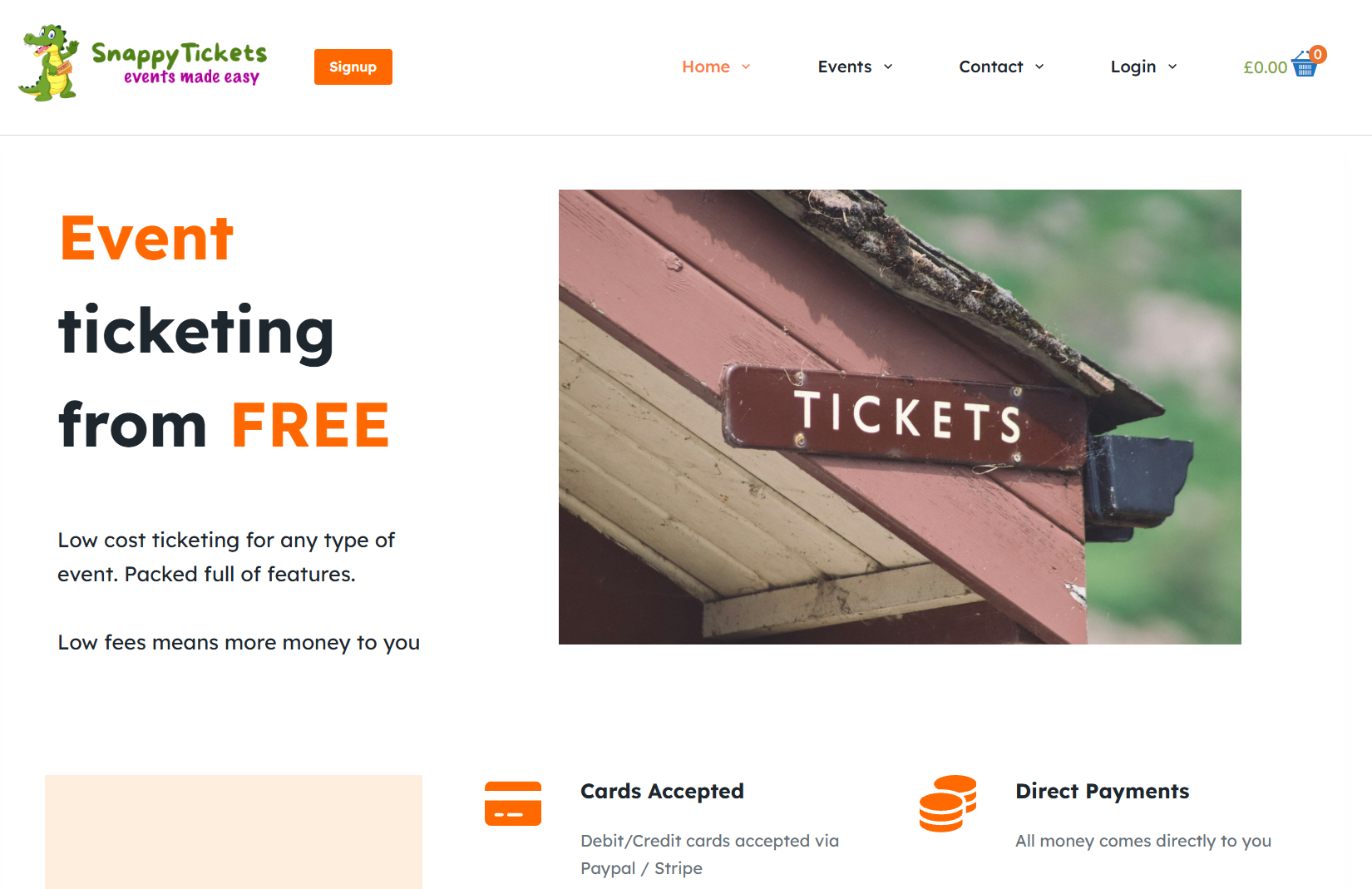

Snappy Tickets is a UK-based event ticketing platform made for organizers who run their own events. Organizers use it to create their own ticketed events and get paid directly by their customers. Mr Jon Conway, a code developer, started it during the UK COVID lockdown.
Industry:
Events and Event TicketingWebsite:
https://snappytickets.co.uk/Purchased Products:
Events Manager ProJon first ran Snappy Tickets on WooCommerce Event Manager. He finally moved the full platform over to WP Event Manager, an event management plugin for WordPress, and every one of his custom features came with it. Customers now praise it about the cleaner look and ease of use, and Jon doesn’t have to rework his code every time the plugin updates. For Jon, WP Event Manager turned out to be the WordPress event ticketing plugin he had been looking for.
About Snappy Tickets
Company: Snappy Tickets, United Kingdom
Industry: Events and event ticketing
Founder: "Jon Conway"
Key add-ons: Sell Tickets, Registrations, Calendar
Result: Customers like the cleaner design and easier use
Snappy Tickets lets an organizer publish an event, create tickets, and sell event tickets on WordPress, with buyers paying the organizer directly. Registration and ticket options are set separately for each event. Vendors log in to see what they’ve sold, what they’ve made, and each order that’s been placed. The organizers also tend to ask for early bird deals, waiting lists, tiered prices, discount codes, private events behind a password, payments in more than one currency, and emails to everyone who has booked.
Why Mr Jon Conway Built Snappy Tickets
His aim was to let people run their own events for far less than the big ticketing corporations charge, while still giving them a full set of tools.
When an organizer gets in touch, it's Jon who answers, and that's on purpose. He manages every account himself, fixes problems himself, and usually answers within an hour.
The Challenge: Jon's Custom Code Grew Harder to Maintain
Mr Jon built the first version of Snappy Tickets on WooCommerce Event Manager. He used it as a base and wrote his own code on top to add the features his organizers asked for.
Over time, Jon had built a thick layer of his own code on top of the original plugin. Every time WooCommerce Event Manager changed, he had to go back and check that code, and keeping it all working took more and more effort.
He also wanted the event pages to have a cleaner, more modern design.
He needed a plugin that would:
- accept his custom code without changes to its core files
- keep that code working after updates
- make the public event pages look up to date for organizers and buyers alike
That’s when he began looking for a WooCommerce Event Manager alternative that his code could sit on without breaking.
Why Snappy Tickets Chose WP Event Manager
Mr Jon Conway found WP Event Manager on the WordPress plugin repository while looking for a WooCommerce Event Manager alternative. He liked the look of it first, and then the code.
The interface was cleaner and more up to date than his old setup. The code also looked simple to connect with his own updates, which was the problem he most needed to solve.
Jon did not rush the move. He ran a lengthy trial, and only then ported his code across.
WP Event Manager also suits a ticketing business. You can download the core plugin free from WordPress.org and pay for premium add-ons only once you need them. Ticket sales run through WooCommerce via the Sell Tickets add-on, so there are 100+ payment gateways to pick from, and we don't take a cut of any ticket sold. Every event stays on the organizer's own website.
How WP Event Manager Powers Snappy Tickets
Snappy Tickets now runs on the WP Event Manager core plugin and its premium add-ons, with Jon's own code built on top.
1. WP Event Manager's Hooks and Filters Keep Custom Code Safe
We asked Jon which feature solved his problem. He pointed to the hooks and filters, which let him plug his own code enhancements into the plugin.
Jon's ticketing features sit on top of WP Event Manager and connect to it through these hooks and filters. With WP Event Manager hooks and filters, Jon never needed to open the plugin’s core files to make Snappy Tickets run. Design changes go through template overrides instead, and a plugin update leaves all of that alone.
2. What Hooks, Filters and Template Overrides Do
Not a developer? Think of hooks as fixed spots in the plugin where Jon can attach his own code, for instance at the moment an event page loads. Filters work a little differently. They let him adjust a piece of data, like an event field or a label, before WP Event Manager shows it or saves it. Template overrides cover the design side: Jon copies a plugin template into his theme, edits the layout there, and a future update won't overwrite his version.
The WP Event Manager Add-ons Behind Snappy Tickets
Jon chose the Event Manager Pro bundle, which opens up WP Event Manager's premium add-ons. Sell Tickets turns WP Event Manager into a full WordPress event ticketing plugin, with payments through WooCommerce.
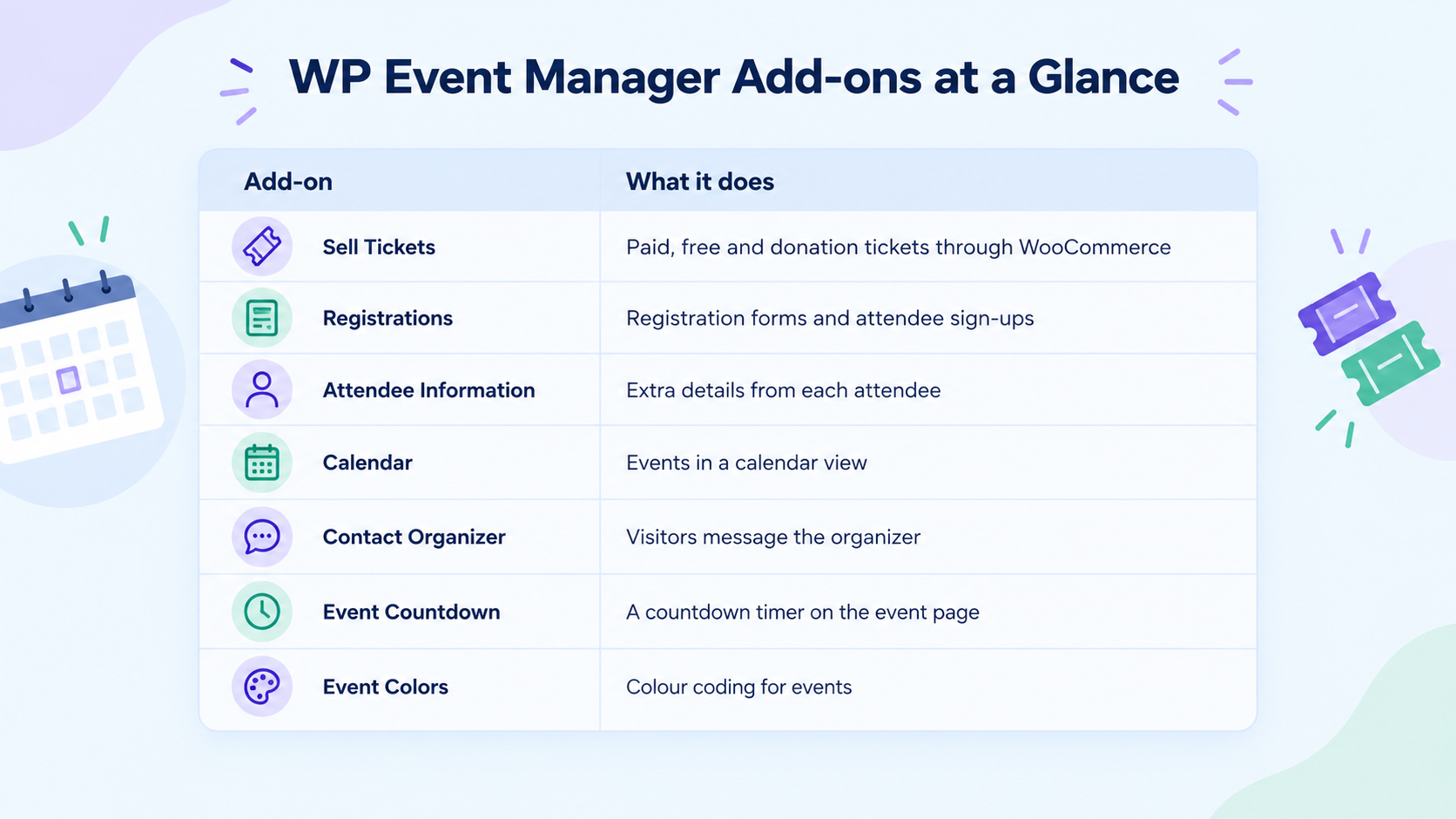
Most of these tie straight back to features Snappy Tickets offers its organizers. The registration forms on each event page come from Registrations, and Attendee Information collects the extra details. Ticket buyers can browse what's coming up in the Calendar view or message an organizer through Contact Organizer. Event Countdown and Event Colors are smaller touches, but they give each event page its own look.
What WP Event Manager Changed for Snappy Tickets
Snappy Tickets has run on WP Event Manager since the move, and Jon is happy with the results.
Jon reports that organizers have taken well to the platform and that it is running smoothly.
- Customers noticed the new look. Jon says customers like the cleaner design and find the platform easy to use.
- Updates no longer undo Jon's work. His features connect through hooks and filters, so he does not rewrite them after each plugin update.
- Organizers kept their features. Jon’s code brought every organizer's favourite across, from early bird pricing and waiting lists to discount coupons.
His custom features now plug in through WP Event Manager hooks and filters, so a plugin update no longer undoes his work.
What Other Developers Can Learn From Snappy Tickets
- Check the hooks and filters before you build. The more extension points a plugin has, the less you need to touch its core files.
- Test before you move. Jon ran a long trial before he ported any code to a live platform.
- Pick a plugin you can grow with. With WP Event Manager, you start on the free core and switch on add-ons as your platform needs them.
Snappy Tickets' Suggestion for WP Event Manager
We like to be open with our customers and the wider WordPress community, so we asked Jon where we could do better. He liked the modern interface and the room WP Event Manager gives developers to customize it. He also suggested that we improve our support.
Feedback like Jon's shows us where our customers get stuck. Support is one of those places, and our team is working on faster, clearer responses to tickets. We thank Jon for telling us plainly.
Build Your Event Platform With WP Event Manager
Jon built a full ticketing business on WP Event Manager. Looking for a WordPress event ticketing plugin you can build on? Start with the free WP Event Manager core.

About the Author