Use coupon code:
  Something exciting is coming soon – stay tuned to find out! 🚀✨
-
Grow My Business
-
Oct 14, 2026
-
Oct 14, 2026
-
10
-
0
- Next blog »
If you run events on a WordPress site, you've probably asked yourself how much plugin you really need. Some sites only have to show dates. Others need to take sign-ups, sell tickets, and check people in. This post compares the two options honestly, including the trade-offs.
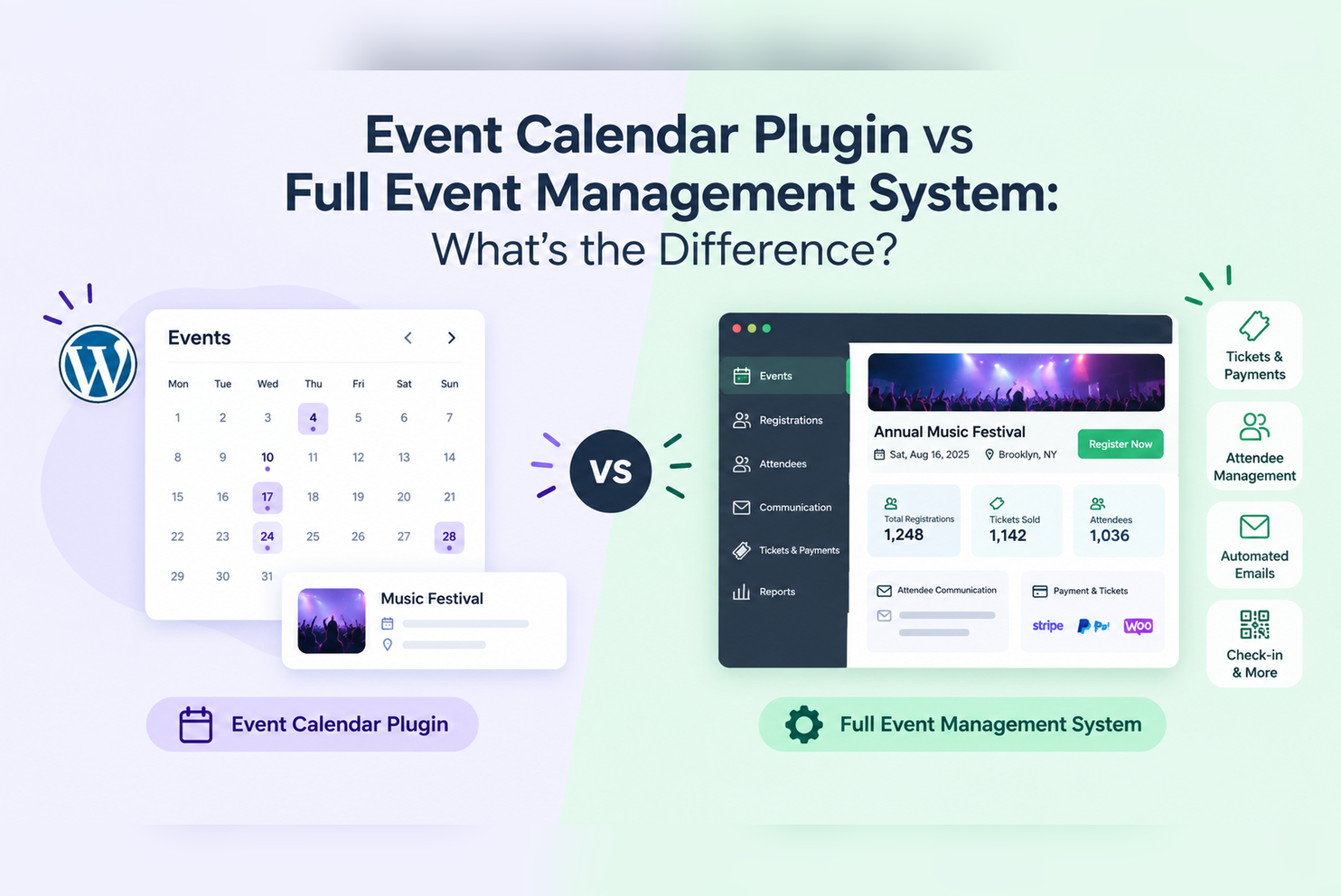
What Does a WordPress Event Calendar Plugin Do?
Install one WordPress plugin and your events will be displayed on your own site, in date order. Every event also gets its own URL, which is handy for newsletters and gets picked up by Google.
Most calendar plugins give you:
- Month, list, or widget views of your events
- Repeat scheduling, so you enter a weekly class one and every date fills in
- Filters by category, venue, or organizer
Many events, like talks, church services, or local meetings, don’t need more than this. People see the date and show up.
Where a Calendar Starts to Fall Short
Things get more complicated when they have a seat limit or a ticket price or a guest list attached to them.
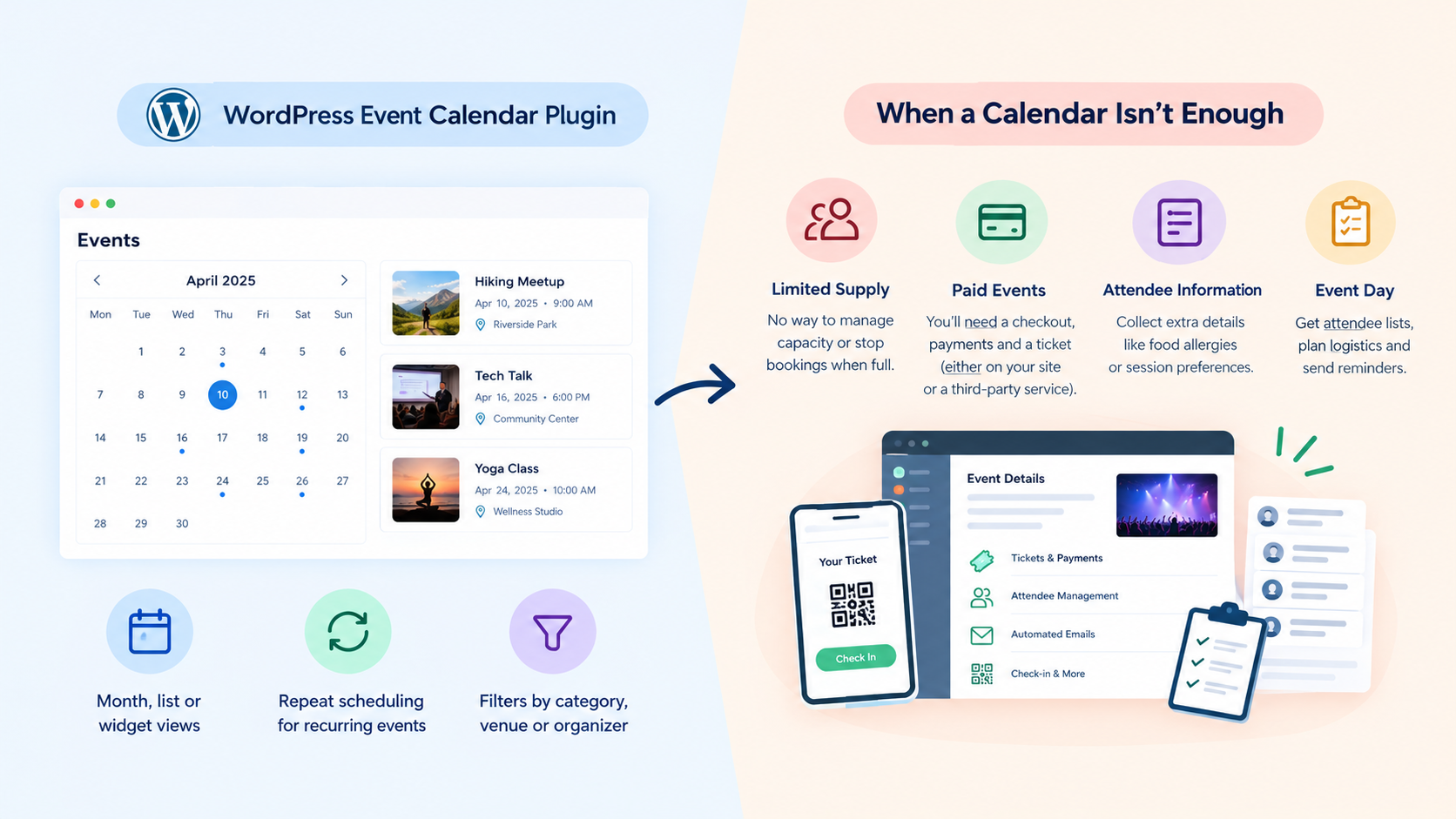
1. Limited Supply
There’s no way for a calendar to know how many people are coming, nor can it stop bookings when a room is full. The usual fix by the organizers is to set up a contact form and a spreadsheet and reply to each sign-up individually.
2. Paid events
You’ll need a checkout, payments, and a ticket for the door. Linking to a hosted booking site works fine, though buyers leave your site, and many of those services charge per ticket.
3. Attendee Information
Some events might require more information from guests, such as food allergies or which sessions they want to attend. With only a calendar, those answers come in by email, and someone has to sort them.
4. Event day
You need a list of who’s coming to check people in, plan food, and send reminders. A calendar doesn't collect it.
Event Calendar vs Event Management System
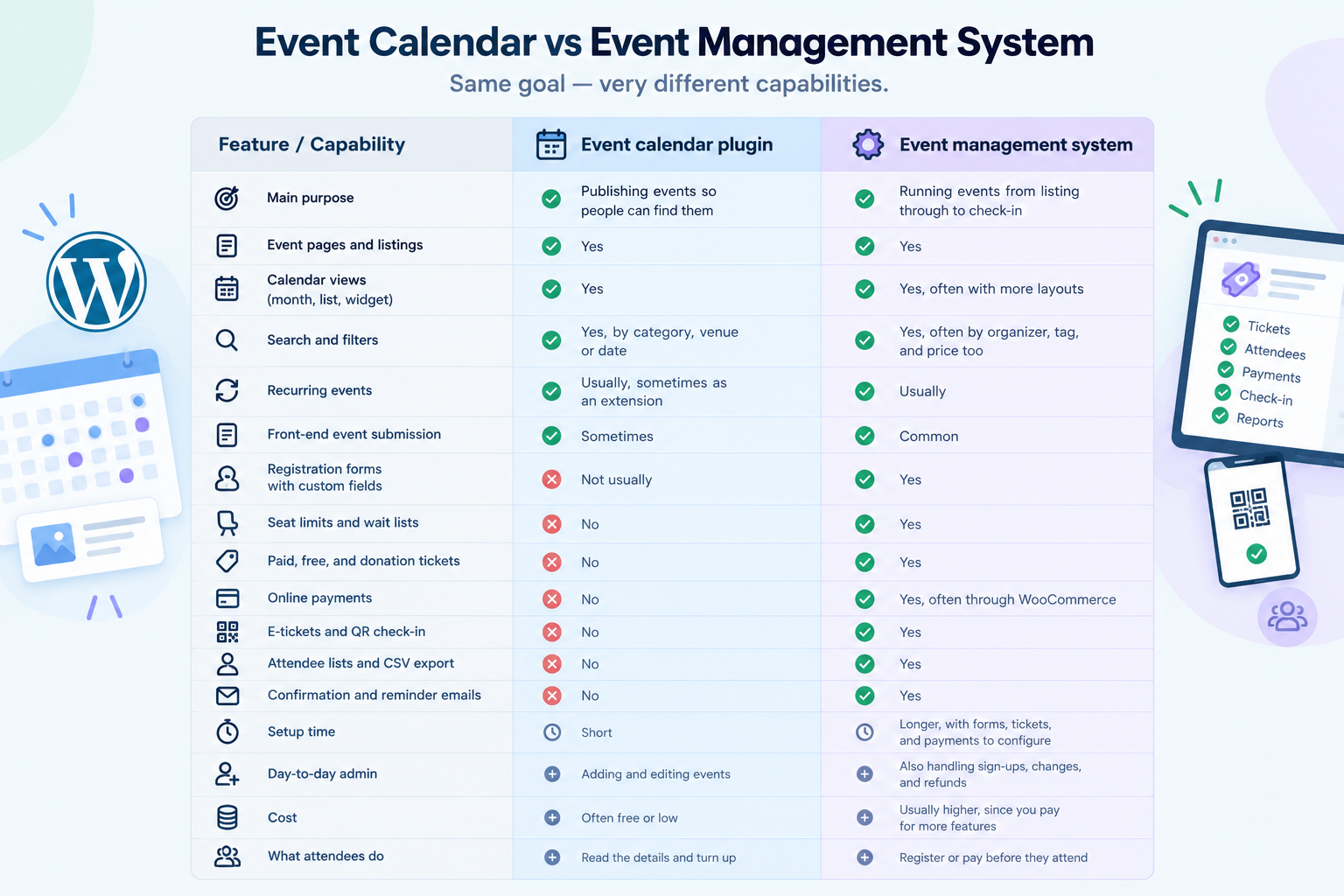
When Should You Choose a Calendar Plugin?
If your events are free and open, a calendar is usually the better pick. Adding registration would only put a form in people's way.
A calendar is probably enough if:
- People can just turn up.
- You don't need names in advance.
- Bookings already happen elsewhere, like a membership portal.
- Your main goal is getting events seen.
Not sure yet? If you might need sign-ups or tickets later, go for a calendar that supports add-ons. Then you won’t have to start over with a new plugin.
When Do You Need More?
Answer these with your real events in mind.
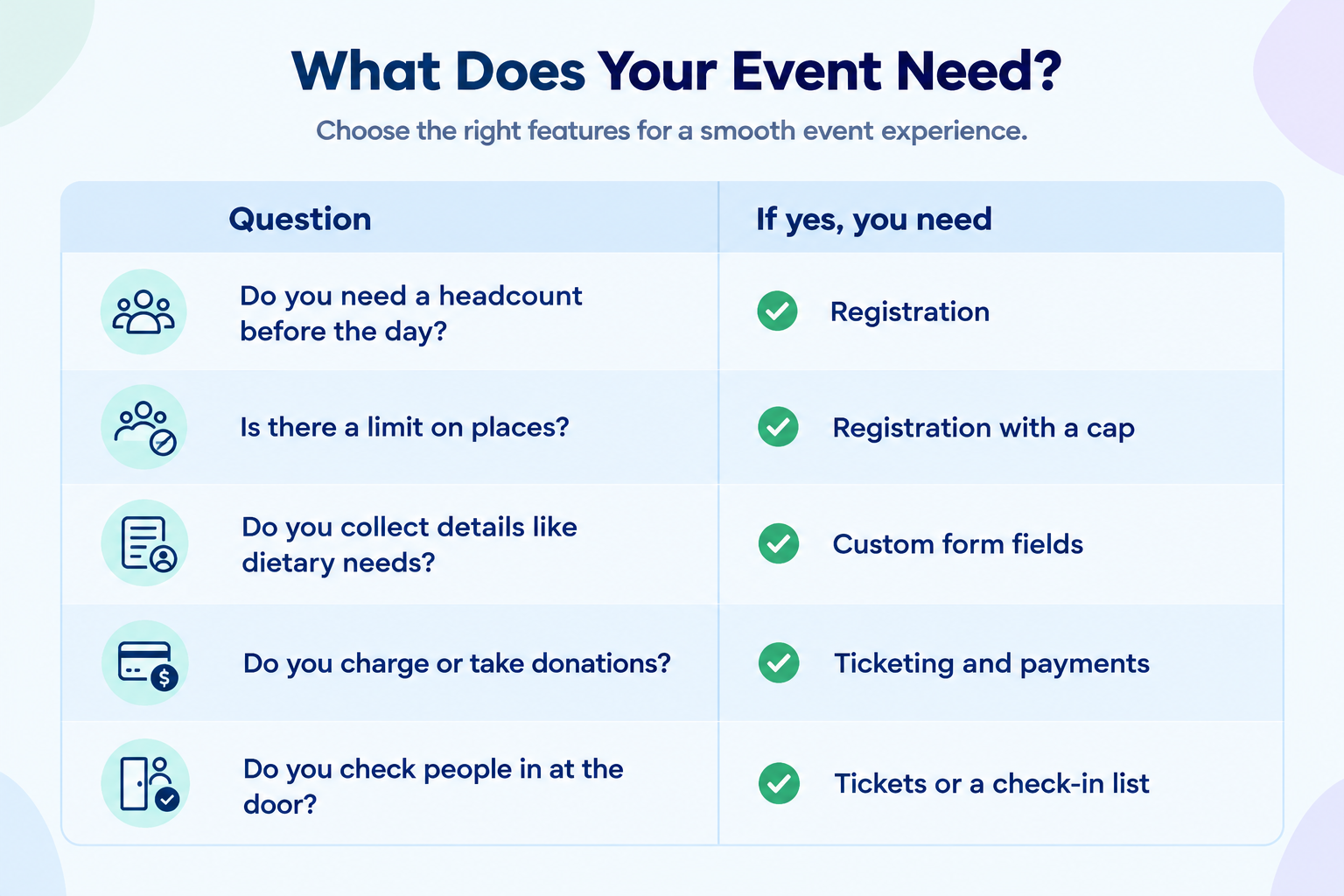
If payments or check-in are involved, you'll want a fuller setup. You don’t have to sell tickets on your own site. If you only run a few small events, a booking site works fine.
But if you hold events often, it’s better to take bookings on your own site. This generally applies to paid events or those with limited capacity.
How WP Event Manager Brings These Capabilities Together
WP Event Manager is a free core plugin with paid add-ons. Your first setup can be just the calendar. Registration or ticketing can be switched on later for the events you’ve already listed.
1. WP Event Manager: Core plugin (free)
WP Event Manager is a free plugin that gives you the basics for listing events.
- Event listings with a front-end submission form.
- Search filters and box or list layouts.
- Dashboards for organizers and venues.
2. Calendar add-on
Calendar add-on lets you view your events in calendar format.
- Monthly and yearly views, and a sidebar widget.
- Filters by venue, organizer, category, tag, time and price.
- A hover preview showing date, time, and banner
Recurring Events is a separate add-on that deals with repeating dates.
3. Registrations add-on
The Registrations add-on allows for managing event registration on your own site.
- Event registration forms with your own fields.
- A cap on registrations per event.
- Confirm, wait list, or cancel sign-ups, then export them to CSV.
- Check-in tracking and confirmation emails.
4. Sell Tickets add-on
The Sell Tickets add-on adds event ticketing and online payments.
- Paid, free, and donation tickets for event ticketing.
- Payments through WooCommerce, including Stripe and PayPal.
- PDF e-tickets with QR codes.
- No commission from us. Gateway charges still apply.
More add-ons for specific needs
WP Event Manager comes with 42 premium add-ons in features, ticket sales, marketing, and virtual events. You can install only the ones you need. Here are some that organizers often add:
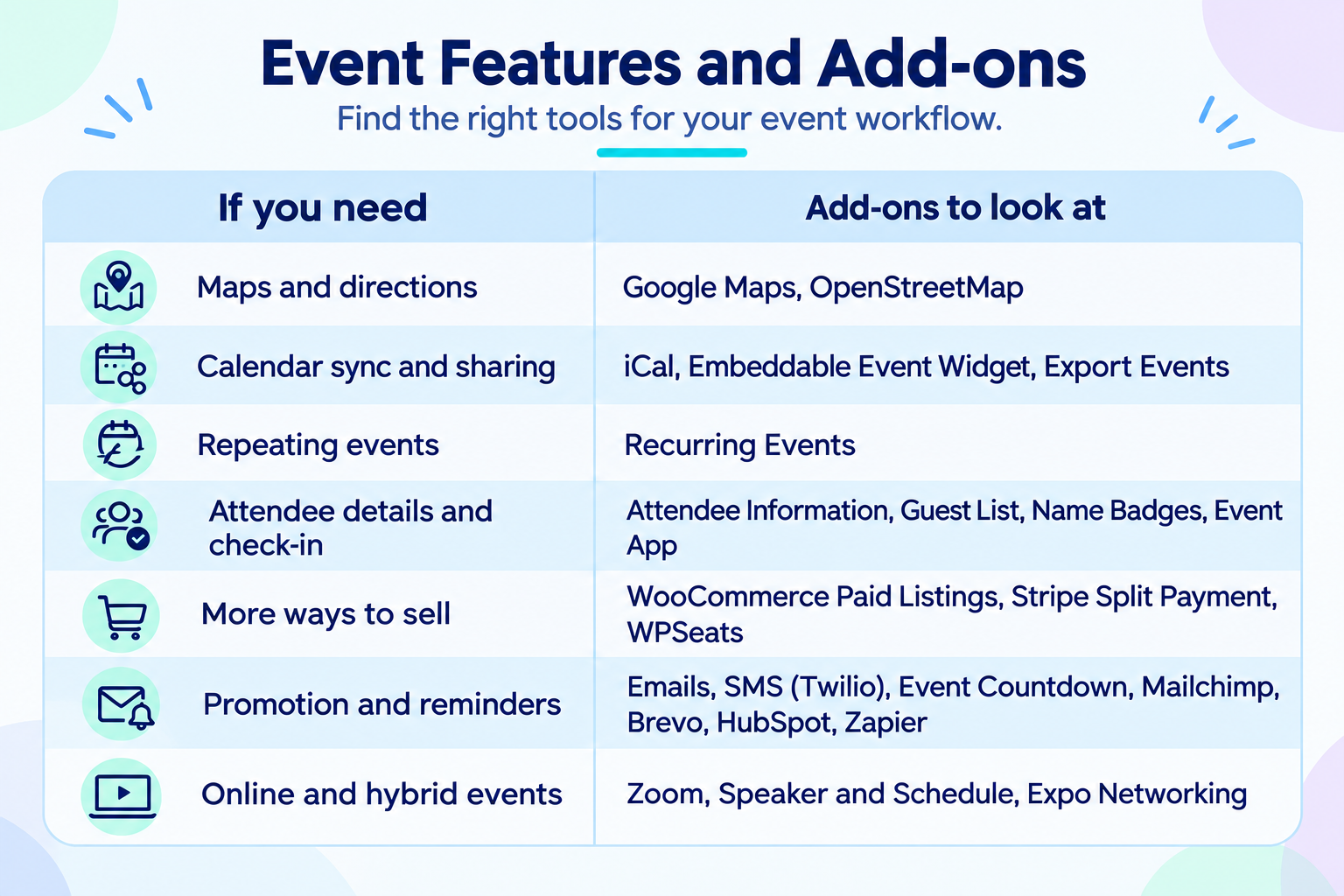
Before you decide
Sell Tickets needs both Registrations and WooCommerce, so there's more to set up than with a calendar alone. Each add-on is licensed separately, from $49 a year for one site, and bundles are available. See pricing for current figures.
Calendar or Full System: Which Should You Choose?
For a schedule people simply read, stick with a calendar. For a regular event that requires sign-ups, payment, or check-in, you’ll want something with registration built-in, either on your own site or via a hosted booking service.
Want to see registration and ticketing on a live site first? Try our demo, or book a demo and we'll walk through your setup.
See the complete WP Event Manager platform
FAQs
1. What is a WordPress event calendar plugin?
It is a plugin that adds an events section to your site, with event pages and calendar or list views. Most also allow for recurring events.
2. Is an event calendar enough for event management?
For free, drop-in events, often yes. A calendar can’t limit seats, take payments, or check people in.
3. What is the difference between an event calendar and an event management system?
A calendar will help people locate your event. Event management system also deals with registration, tickets, payment, and check-in.
4. When do I need event registration?
When you need to know who's coming before the day, usually because places are limited or you need attendee details.
5. Can an event calendar support ticketing?
Not by itself. You can add ticketing to the events already on your calendar with the Registrations and Sell Tickets add-ons for WP Event Manager.
6. Should I choose a calendar or a full event management plugin?
Go by your events. Free, open events are fine with a calendar. And if you can’t decide yet, a calendar with add-on potential allows for change.
7. Is WooCommerce required for selling tickets with WP Event Manager?
Yes. Ticket checkout is done via WooCommerce and you will need to add the Registrations add-on along with Sell Tickets.
About the Author