Use coupon code:
  Something exciting is coming soon – stay tuned to find out! 🚀✨
- « Previous blog
-
Grow My Business
-
Dec 17, 2025
-
Dec 19, 2025
-
1630
-
0
- Next blog »
Quick introduction to Gutenberg and Page builders
1. Gutenberg
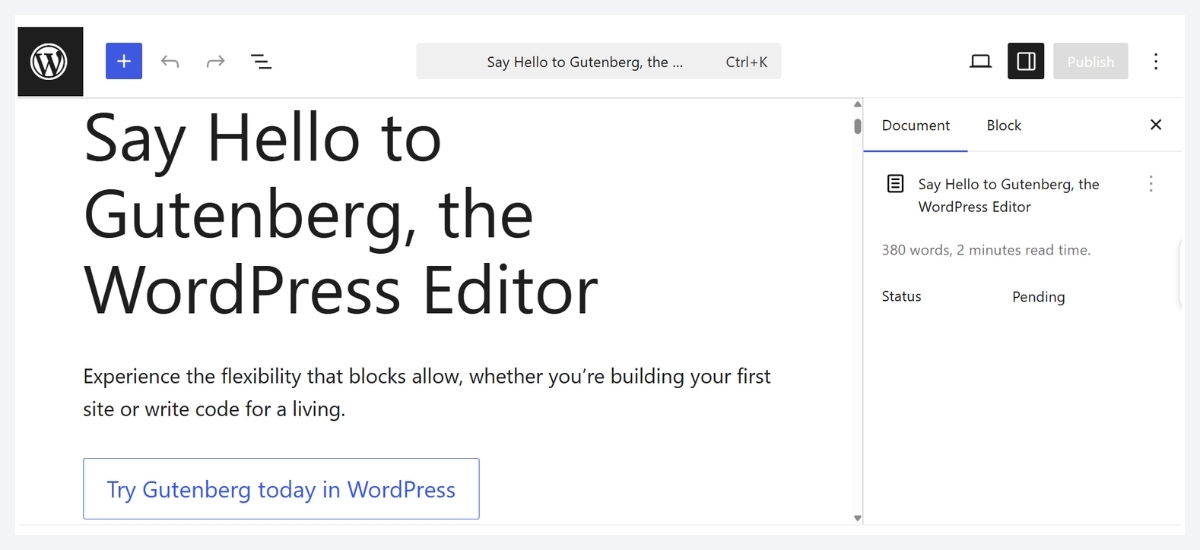
Gutenberg, the default block editor for WordPress, was introduced in 2018 as a part of WordPress 5.0 launch. It helps users edit pages and posts by dragging and dropping blocks in their preferred places to modify layouts and more. Each block in Gutenberg comes with its settings to ensure that you can customize without hassle.
Gutenberg usually divides content into multiple blocks. Users can add, arrange, and style these block as per their tastes and preferences. The best part about this tool is that it does not require any coding. It is now considered as the default editor for all WordPress versions that offer a multi-media based, responsive experience.
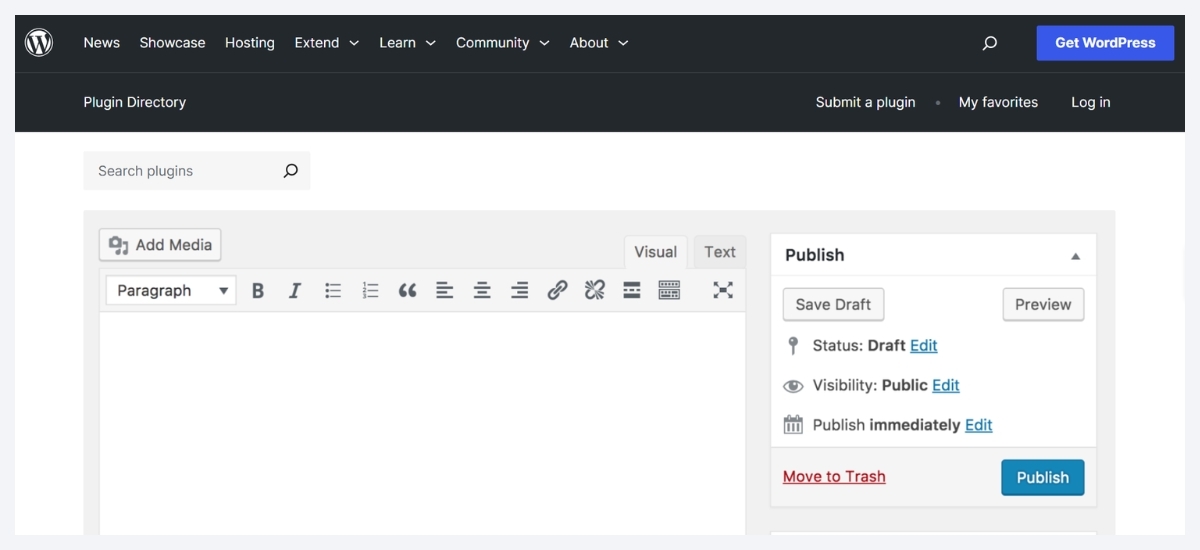
2. Page builders
Gutenberg Vs Page builders: detailed comparison
1. Gutenberg Vs Page builders: Features
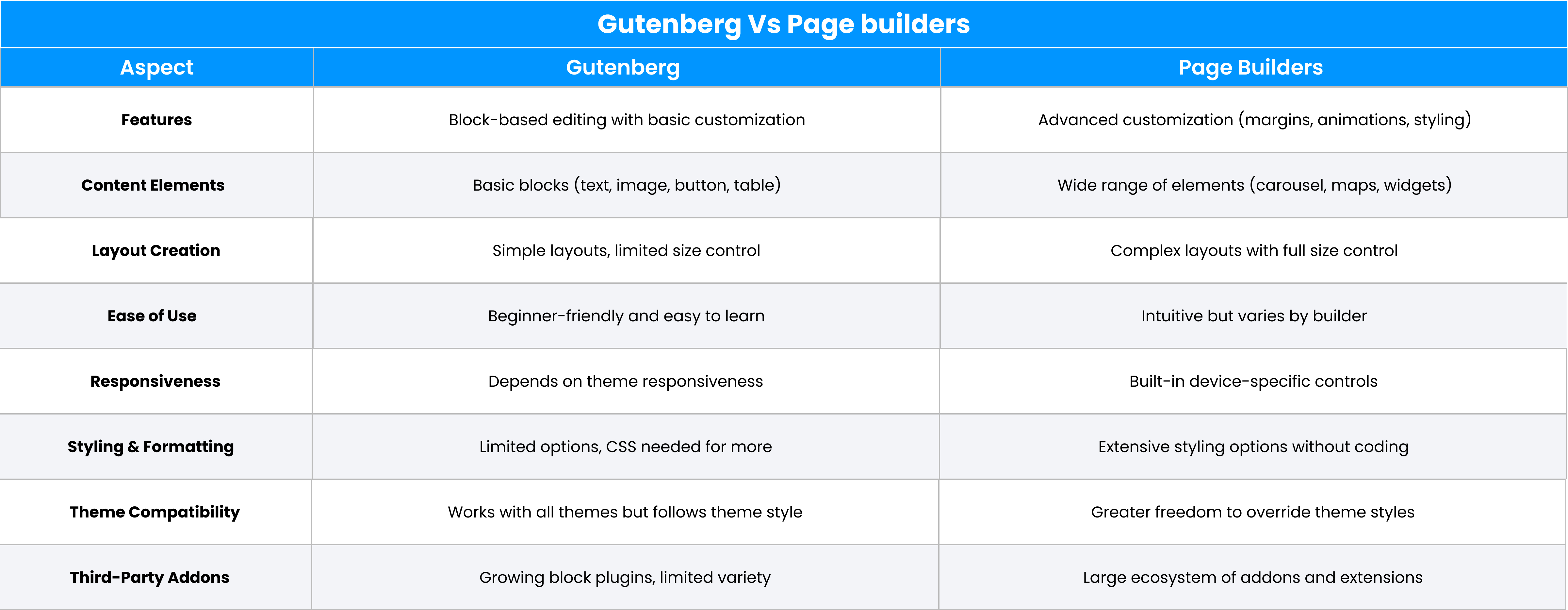
Gutenberg and page builders both have multiple useful features that may confuse you to choose the most suitable one from them. Here is a comparison on Gutenberg Vs page Builder features.- Customizability: With Gutenberg users can customize each blog or the entire website content. On the other hand, page builders allow users to modify different elements including margins, styling, animation and more.
- Content building elements: Gutenberg depends on blocks to build content and its supports basic blocks such as texts, buttons, images, tables etc. On the other hand, each page builder carries its diverse range of elements like maps, carousal and more.
- Layout creation: Gutenberg creates basic layouts without modifying the size and building complex layouts might be difficult with this. In contrast, page builders enable you to create complex layouts along with the facility to change size.
2. Gutenberg Vs Page builders: Ease of use
Gutenberg comes with an easy to use interface, which makes it a beginner friendly tool. For example, to add a new block, a user just need to click on the + sign. There is a Settings tab that lets users customize blocks with multiple configuration options for each block type. However, most of them are basic customizing options that are easy to work with. Besides this, tools tips are also available with elaborated descriptions and examples to make it convenient for users to use a block type.
When it comes to page builders, each of them comes with a unique interface, but the usage is most similar to each other. Users can easily add, move, or resize elements such as text, buttons, images, and sections easily. This makes the designing stages intuitive. In addition to that, most page builders provide pre-built templates and sections that give users the scope to create highly professional webpages in no time.
Sum up: Whether a tool is easy or difficult to use usually depends on user habits and preferences. However, if we look at the overall scenario, we could say that Gutenberg is easier to use because each page builder comes with a different interface, and understanding the settings section for complex customization can be challenging for beginners.3. Gutenberg Vs Page builders: Responsiveness
Researches reveal that more than 90% of internet users use mobile devices to go online, making it essential for every website to be mobile-friendly. let us find which is better in Gutenberg vs page builders competitive analysis.
In Gutenberg, responsiveness mainly depends on the website theme you use as it does not have direct control over mobile responsiveness. If your theme is responsive, the Gutenberg content will be automatically set in different devices without affecting the screen quality. In simple words, it offers limited control on device specific customization like making separate adjustments in font size or layouts for different devices.
On the other hand, mobile responsiveness is one of the core features of page builders. Most trusted page builders offer device based editing facilities that enable users to make changes to the font, layout spacing, etc separately for devices like mobile, desktop, and more. Live preview is also available for users, which allows them to make adjustments for mobile devices.
Sum up: Considering the responsiveness fact, page builders are more advantageous than Gutenberg as the responsiveness in Gutenberg completely depends on the website theme.4. Gutenberg Vs Page builders: Styling and formatting
Gutenberg comes with a set of styling and formatting options. Though these options are limited, you can add more styles as per your requirements using a custom CSS for each block.
On the other hand, page builders provide users with a huge array of options in style and format. It is easy to modify font size, color, line height, images, etc with page builder. They let you apply gradients, select fonts, make adjustments to widths, widgets, and more, offering you better control over your page designing.
Sum up: In the Gutenberg Vs page builders study in terms of page styling and formatting, page builders win.5. Gutenberg Vs Page builders: Theme support and compatibility
Gutenberg works well with all types of WordPress themes. Though you can also add custom CSS to each block based on your preference, the overall design will support only the existing theme's default style.
In contrast, page builders offer you the ultimate freedom of experimenting with theme styles as they let you customize the default styling framework of your existing theme.
Sum up: Page builders are undoubtedly more flexible than Gutenberg when it comes to theme support and compatibility.6. Gutenberg Vs Page builders: Third-party addons
Gutenberg offers a wide range of third-party plugins. Developers are constantly working on creating block plugins to increase its functionalities. One such plugin is the "Ultimate Blocks".They usually follow WordPress core standards and theme style.
On the other side, page builders provide an API to help you create third-party add-ons. Users can easily find custom addons for popular page builders from its developers. For example well-known page builders including Elementor, Divi page builder etc offer a huge array of third-party addons with vast features and functionalities.
Sum up: When the Gutenberg Vs page builders comparison is about third party plugins, page builders are at an advantage as it supports more diverse third-party plugins than Gutenberg.Pros and cons of Gutenberg
Pros of Gutenberg
- Gutenberg works faster than average page builders as it creates fewer requests, comes with smaller page size and has less number of files to load.
- It is beginner-friendly and easier to use than page builders.
- Gutenberg is an affordable option for website creators as it is free and included in your WordPress package.
- Being a part of WordPress, Gutenberg ensures that your content remains the same even if you change themes.
Cons of Gutenberg
- Though Gutenberg is constantly improving its stock of blocks, it is still limited in numbers as compared to page builders.
- It offers basic styling options and lacks advanced controls.
- Not appropriate for complex layouts.
Pros and cons of Page builders
Pros of Page builders
- Coding free solution ensuring anyone can use it.
- Offers a visual drag and drop facility to make page designing smooth for beginners.
- Mobile responsive with major controls.
- Comes with less theme dependency.
- Allows creators to see how the pages will look when they go live in the frontend.
Cons of page builders
- Page builders can be costly.
- Some page builders need additional coding that may affect a website speed or performance.
- Your website may become dependent on a page builder.
- Though it is an easy to use platform to access basic features but understanding advance functionalities and designs may be time consuming.
Which is better?
We hope that the Gutenberg Vs page builders analysis will help you get a clear picture of both the tools and make it easy for you to determine which is suitable for your business. Which is better between Gutenberg and page builders completely depends on your requirements. If your priority is customization and your team is comfortable with technology, then go for page builders. Use Gutenberg if you are looking for a beginner friendly tool that is easy to use.About the Author